Many business owners struggle to share reviews because they cannot locate the right Link. This small issue can slow growth and reduce trust from new customers online.
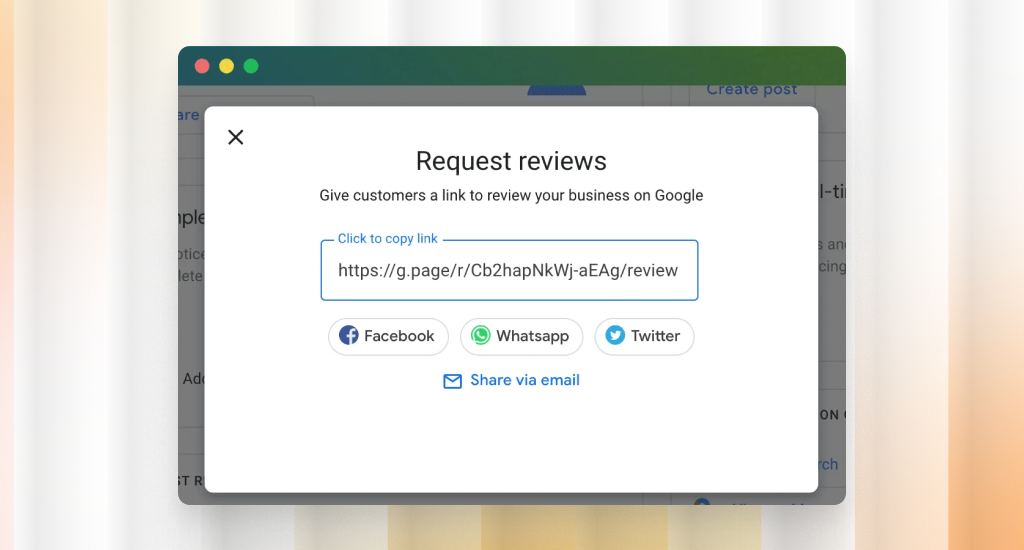
Now, the question is: how to find Google review link? You can get it inside your Google Business Profile in just a few clicks. Open your profile, press the “Ask for reviews” option, and copy your Link.
The process feels confusing at first, especially when menus look different on each device. Once you see the correct path, you can access your Link quickly and share it without delay.
This guide will show easy steps, simple tools, and smart tips to access your review Link without any confusion.
Core Methods to Find a Google Review Link
It is very common that Google reviews are not showing publicly, and many people feel confused when they try to locate their review link inside Google tools. Clear methods can solve this issue fast and help you collect reviews without delay or stress.
How to Find a Google Review Link from Google Business Profile
Your Google Business Profile gives the most direct and reliable way to access your review Link. It shows a clear option inside the dashboard, so you can copy and share it without any confusion.
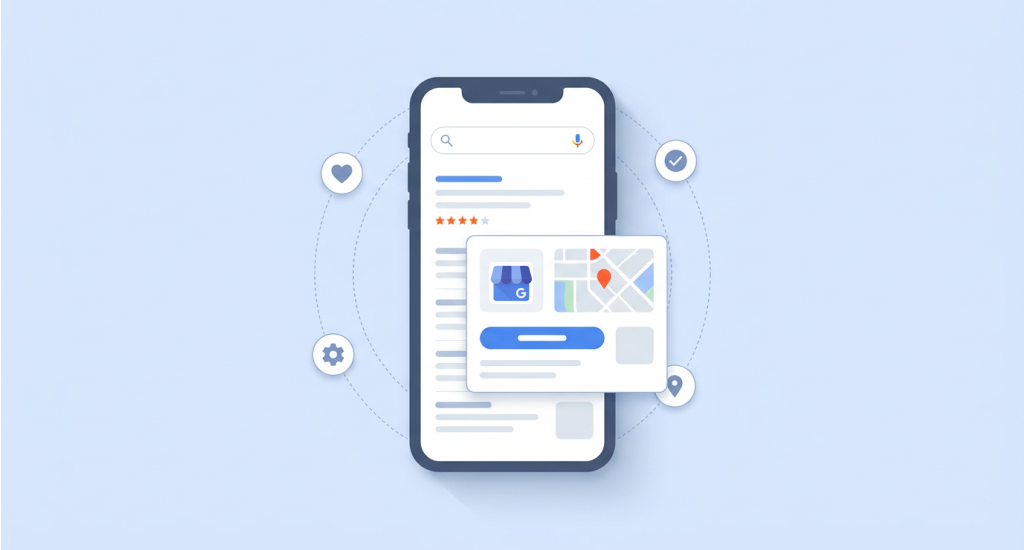
Step 1: Log in to your profile
Open your Google account and go to your business dashboard. Try to make sure you use the correct email that manages your business listing.
Step 2: Select the right business location
If you manage more than one business, choose the correct listing. This step helps you avoid sharing the wrong review Link with customers.
Step 3: Open the Home dashboard
Once inside, you will see your main dashboard with different options. This area gives quick access to tools that help you manage your business profile.
Step 4: Find the review section
You should look for a card that says “Ask for reviews” or “Get more reviews.” Google places this option where you can access it quickly.
Step 5: Click Share Review Form
Press the button, and a small window will appear with your review Link. This Link is already ready to send to your customers.
Step 6: Copy the short URL
Click the copy button to save your Link. You can now paste it into emails, messages, or social media posts.
This is the official method provided by Google, so it is safe and accurate. Most business owners prefer it because it takes only a few seconds.
How to Find a Google Review Link Through Google Search
It is also possible to access your review link directly from Google Search without opening the full dashboard. This method works well when you want a quick option without logging into multiple pages.
- Search your business name: Type your exact business name into Google Search. Make sure the spelling is correct so that your profile appears on the screen.
- Open your business panel: You will see a profile panel on the right side or top of the page. This area is called the Google Knowledge Panel.
- Locate the Reviews button: Inside this panel, find the Reviews section. It shows customer feedback and gives access to review tools.
- Click Ask for Reviews: Look for the option that lets you request reviews. Click it, and Google will generate a shareable Link.
- Copy the review Link: Copy the Link shown on the screen. You can now send it to your customers without opening your full dashboard.
The Google Knowledge Panel is the box that shows your business details on search results. It gives quick access to reviews, photos, and contact information.
How to Get a Google Review Link from Google Maps
Google Maps offers another easy way to access your review Link. You can use both desktop and mobile methods, depending on the device you prefer.
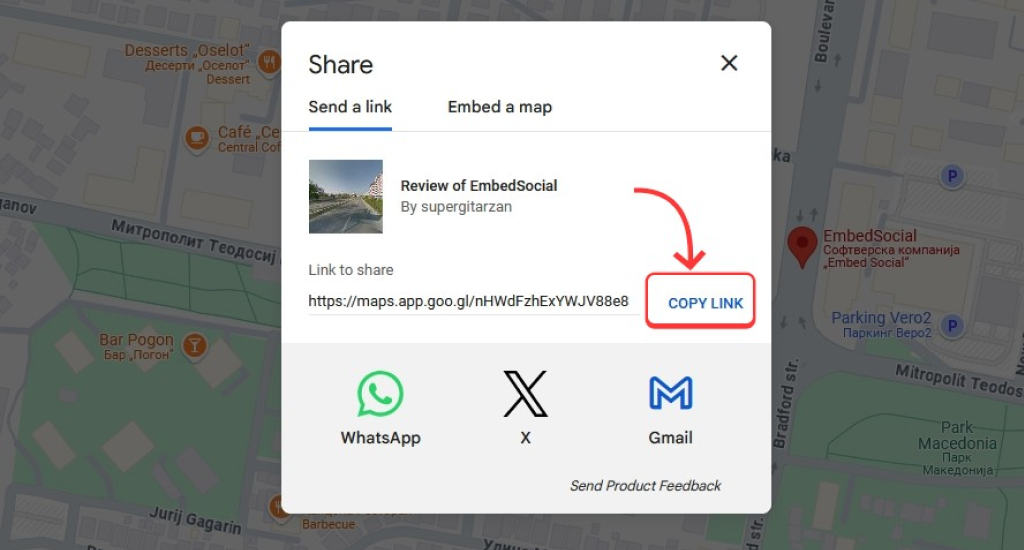
Desktop Method
- Open Google Maps: Go to the Google Maps website using your browser. Make sure you are signed into your business account.
- Search for your business: Enter your business name in the search bar. Select the correct listing from the results.
- Open the business profile: Click on your business name to view full details. This page shows reviews, photos, and other important information.
- Click Write a Review: Press the review option, and the review page will open. This page lets users leave feedback.
- Copy the URL: You should then copy the Link from your browser address bar. This Link leads directly to your review page.
Mobile Method
- Open the Google Maps app: Try to launch the app on your phone and sign in to your business account. This step ensures you access the correct profile.
- Go to your business profile: Tap your profile icon and select your business listing. This will open your business dashboard inside the app.
- Select your listing: Choose the correct business if you manage more than one. This helps you avoid sharing the wrong review Link.
- Use Share or Get more reviews: Tap the option that lets you share your profile or request reviews. Google will generate a shareable Link for you.
- Copy the Link: Copy the Link and send it through messages or social apps. This method works well for quick sharing on mobile devices.
Using Review Management Tools to Create Google Review Links
There are some tools that can create and manage your review Links automatically. These tools help business owners save time and organize customer feedback in one place.
Some of the popular tools include:
- Podium
- EmbedSocial
- GatherUp
These platforms can connect with your business profile and create ready-to-use review Links. You do not need to search for the Link every time.
What These Tools Offer
- Ready-made Links that you can share with customers
- Dashboards that show all your reviews in one place
- Simple tracking of customer feedback and responses
When to Use These Tools
These review management tools work well for businesses that handle many customers daily. They help you stay organized and make sure no review request gets missed.
How to Share Your Google Review Link
You need simple ways to share it with customers when you have your review link. Easy access increases responses and helps your business gain trust through real feedback.
Creating a Google Review QR Code
A QR code lets customers open your review page by scanning it with their phone camera. It stores your review Link and connects users directly without typing anything.
Many businesses place QR codes where customers already look and interact. This makes the process quick and increases the chance of receiving reviews.
Common places include receipts, flyers, posters, store counters, product packaging, and restaurant tables. These spots help you reach customers at the right moment.
Creating an Effective Review Request Strategy
A proper plan can help you ask for reviews in a simple and polite way. Email and SMS messages work well because they reach customers directly with your Link.
Also, post-purchase messages and follow-ups remind customers after their experience. Social media posts can share your Google review link for my business with a wider audience.
Moreover, your website and chat tools offer easy sharing of your how to get a Google review link. A simple process encourages more customers to leave feedback.
Why Google Review Links Matter for Businesses
Google review links can help customers share their experience quickly and without confusion. When the process feels easy, more people leave feedback. It builds trust and supports steady growth for your business online.
Role of Online Reviews in Customer Trust
Many customers often read reviews before they decide to buy or visit a business. Positive feedback creates confidence, while detailed reviews help people understand what to expect from your service or product.
Impact of Customer Reviews on Local Search Visibility
Google uses reviews as a signal to rank businesses in local search results. More reviews with good ratings can help your business appear higher when people search for nearby services.
Importance of Reputation Management
Reviews shape how people see your business online. A steady flow of honest feedback helps you build a strong image and respond to customer concerns in a clear and professional way.
Influence on Google Maps Rankings and Local SEO
Google Maps uses reviews to decide which businesses show at the top. According to RedLocal Agency, about 83% of customers read Google reviews before choosing a business. Negative reviews can also reduce trust quickly if not handled properly.
Strong ratings and regular feedback can improve your local SEO and help more customers discover your business easily.
How Easy Review Access Improves Customer Engagement
When customers can open your review page without effort, they are more likely to share feedback. A simple Link removes barriers and encourages more people to take action.
Supports Faster Business Growth
More reviews can result in better visibility and stronger trust among new customers. This combination helps your business attract more visitors and grow steadily in a competitive market.
Final Thought
Some simple methods, like Google Business Profile, Search, and Maps, can help you access your Google review link quickly. Each option gives a clear path, so you can choose what works best for your daily business needs.
A simple review process encourages more customer feedback and builds trust gradually, and never let your Google reviews go down. Regular requests and smart sharing can greatly improve visibility, strengthen your reputation, and support better local SEO results.