Last week, your Google review count looked strong and steady on your business profile. Today, the number feels smaller, and that small change creates stress and doubt in your mind.
Reviews help new customers trust your brand before they spend money with you. When the total drops without notice, many owners quietly ask, why am I losing Google reviews, and what mistake caused this issue.
This problem can affect sales, trust, and even your online image over time. Read this guide carefully to understand the real reasons. You will also learn the clear steps that help protect your reviews.
Key Takeaways: Losing Google Reviews
- Losing Google reviews – Reviews may be filtered or removed.
- Why am I losing Google reviews – Policy violations or spam signals.
- Missing reviews on Google – Indexing delays or display glitches.
- Why are my Google reviews going down – Sudden review spikes trigger filters.
- Why is my business losing Google reviews – Reviewer account or profile issues.
What “Losing Google Reviews” Actually Means
Many business owners panic when their review number drops without warning. They think all reviews are gone forever. In reality, three different situations can cause this change in your Google Business profile.
Here are the three main states people often confuse:
- Filtered or Suppressed Reviews: These reviews still exist in Google’s system. They do not show on your public profile. Google hides them if it feels something looks unusual or against its rules.
- Visual or Counting Mismatch: The total number you see at the top may not match the visible list below. It is often a display issue. It can happen after updates or system delays.
- Permanently Deleted Reviews: These reviews are fully removed. It may happen if they break Google’s policy or if the reviewer deletes their account. In this case, the review cannot return.
Are Your Google Reviews Actually Deleted, Or Just Filtered?
Ask yourself these quick questions to understand your case:
- Did the total number drop, but you still see most reviews?
– It may be a visual mismatch. - Did one specific review disappear, but the total looks almost the same?
– It may be filtered. - Did both the review and the count drop, and stay lower for many days?
– It may be permanently deleted.
Quick Examples:
- A five-star review from yesterday is gone today, but the total stays the same.
- Your profile shows 120 reviews, but you can count only 115.
- Three reviews disappear after a policy update and never return.
Common Reasons You’re Losing Google Reviews
When you get more reviews, but the reviews disappear, panic does not solve the problem. Clear reasons help you stay calm and take the right step. Below are some of the common causes that may explain why your review number drops without warning.
1. Policy Violations (Content-Based Removal)
Google has strict content rules for every review. When a review breaks these rules, removal can happen fast. Many owners never notice the rule break until the review disappears.
- URLs or External Links: Reviews that include website links may look promotional and break Google content rules.
- Phone Numbers Included: Personal phone numbers inside reviews can trigger removal because of privacy concerns.
- Promotional Language: Sales-style messages that push offers may be treated as spam content.
- Profanity or Inappropriate Content: Offensive words, hate speech, or adult content can result in instant removal.
- Restricted or Prohibited Topics: Content about illegal services, drugs, or unsafe activities may violate policy.
- Fake or Incentivized Reviews: Reviews written for rewards, discounts, or money often violate Google guidelines.
- Policy Enforcement Removal: Reviews may be removed under Google Help policy checks without warning.
- Rarely Reinstated: Once removed for a policy violation, the review is usually not reinstated.
2. Sudden Review Velocity Spikes
Google watches unusual activity on business profiles. A sudden wave of Google reviews can look suspicious. Fast growth within a short time may trigger automatic filtering or temporary removal.
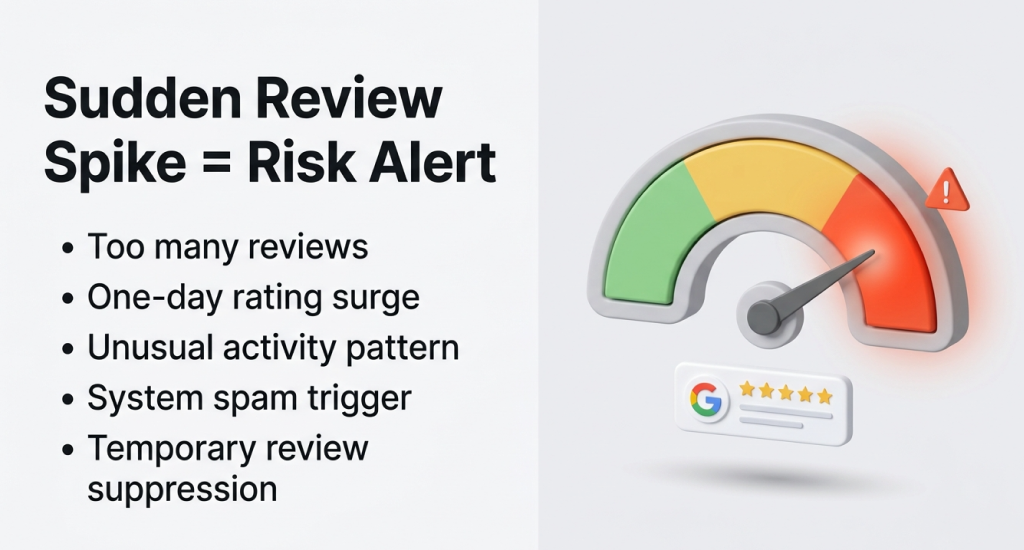
- Too Many 5-Star Reviews in One Day: A very high number of five-star reviews posted within one day can appear unnatural to Google systems.
- Aggressive Review Campaigns: Large email or message campaigns that push customers to leave reviews quickly may trigger automated system alerts.
- Review Gating Risks: Asking only satisfied customers for reviews can violate fairness guidelines. Also, it may raise compliance concerns inside the platform.
- Same Device or Same Location: Multiple reviews submitted from one device, network, or physical location may look suspicious to automated filters.
- Common Question Answered: Yes, too many Google reviews at once can activate review checks. Also, it can trigger temporary suppression systems.
3. Reviewer Account Issues
Sometimes the issue has nothing to do with your business actions. The reviewer’s Google account status can directly impact your visible review count without any warning.
- Reviewer Deletes Their Review: A customer can remove their own review anytime, which instantly reduces your total visible review count.
- Reviewer Account Suspended: If Google suspends a user account for policy reasons, all reviews from that account may disappear.
- Reviewer Account Banned: A permanently banned account loses all public contributions, including every business review previously posted.
- Inactive Google Accounts: Accounts left unused for a long period may face system cleanup, which can remove attached reviews.
- Business Notification: Google does not usually send alerts to businesses when reviewer accounts face suspension or removal.
4. Business Profile Problems
Sometimes the issue comes from your own business profile. Small profile errors can affect review visibility. When profile status changes, reviews may hide or counts may drop.
- Profile Unverified: If your profile is not verified, some reviews may not appear publicly.
- Verification Status Flipping: When the status changes from verified to unverified, reviews may temporarily hide.
- Video Verification Issues: Failed video verification can limit profile access and affect review display.
- Duplicate Listings or Profile Merge: Two profiles for one business can split or remove reviews during the merge.
- Marked Permanently Closed: Closed status can reduce visibility and affect how reviews appear.
- Location Data Mismatch: Wrong address details may confuse the system and impact listing trust.
- Category Mismatch: An incorrect business category may affect how reviews connect to your profile.
- User Content Temporarily Disabled: Google may pause new reviews during system checks or investigations.
5. Review Count Recalculation & Indexing Delays
Google updates review data in scheduled system cycles. During these updates, numbers may shift temporarily. A lower count does not always mean a real review was permanently deleted.
- Displayed Count vs Visible Reviews: The total number shown at the top of your profile may not match the reviews you can manually count below.
- Backend Count Correction: Google may correct review totals after internal audits that remove duplicates or detect invalid entries inside the system.
- Refresh Cycles: Review data updates in batches, and these refresh cycles can briefly change visible totals across Search and Maps.
- Count Drops Without Removal: You may notice a reduced number even when every visible review still appears normal on your profile page.
- Sudden Numerical Drops Example: A business profile can drop from 4014 reviews to 3733 overnight because of recalculation adjustments.
6. System Bugs & Glitches
At times, technical errors inside Google systems cause review display problems. These issues usually affect many businesses together and often resolve after internal fixes or platform updates.
- Large-Scale Counting Bug: In 2025, many business owners reported sudden review count errors across different industries and locations.
- Visual or Counting Mismatch: The displayed total may not match the visible list because of temporary system display inconsistencies.
- Filtered or Suppressed Reviews: Some reviews remain stored inside Google systems but stay hidden from public view after automated checks.
7. App & Software Compatibility Issues
Sometimes the issue has nothing to do with policy or spam signals. The problem may come from app updates or software differences. Small technical gaps can change how reviews appear on your screen.
- Google Maps App Glitches: The Google Maps app may temporarily show incorrect review numbers because of update errors or loading problems.
- Search and Maps Inconsistency: Reviews may appear correctly in Google Search but fail to display inside the Google Maps application.
- Version-Related Display Issues: Older versions of the app may not support recent system updates, which affects review visibility.
- Localized Display Caching: Your device may store outdated profile data locally, which causes old review counts to appear.
8. Automated Spam Filters / Algorithmic Removal
Google uses automated systems to detect fake or suspicious review activity. These systems operate at a large scale. At times, genuine customer reviews are affected without manual human review.

- Suspicious Patterns Detected: Reviews posted from similar devices, IP addresses, or short time frames may trigger automatic removal checks.
- False Positives: Real customer reviews may be mistakenly flagged as suspicious because of unusual posting patterns.
9. Reviewer-Side / Network Triggers
Some review changes happen due to system updates or technical adjustments. These changes may not connect to your actions. Platform updates and network shifts can influence review visibility.
- Merged Profiles During Reindexing: When Google merges duplicate profiles, reviews may temporarily hide, move, or reassign during system updates.
- Sudden Spikes Trigger Suppression: A rapid increase in reviews within a short period may activate automatic suppression mechanisms.
- App or Software Conflicts: Device software conflicts or outdated platforms may prevent certain reviews from displaying properly.
- Profile Migration or API Sync Issues: Data synchronization errors during profile migration can cause temporary review display inconsistencies.
How to Recover Missing Google Reviews (Step-by-Step Process)
If you see missing reviews on Google, you should stay calm and act with proof. Clear steps help you check the issue first. After that, you can contact support with strong details.
Before Contacting Support
Do basic checks before you submit any case. This helps you confirm the review is truly gone and not just hidden by display issues.
- Confirm the Review Is Missing: Make sure the review does not appear on your public profile.
- Manually Count Visible Reviews: You should count each visible review and compare it with the total number shown.
- Check Maps and Search Separately: Open your profile in Google Search and in Google Maps.
- Document Important Details: You should collect proof before you contact support.
- Screenshots: Capture clear images of your review count and visible list.
- Reviewer Name: You should write the full name shown on the missing review.
- Date: Note the exact date when the review was posted.
- Star Rating: You should record how many stars the review had.
- Timeline of Disappearance: Write when you first noticed the review was gone.
- Track Review Count History: You should keep past records of your review numbers for comparison.
Submitting a Missing Review Case
After you gather proof, you can contact Google support. Clear and complete details improve your chances of review.
- Go to Google Business Profile Support: Visit the official support page for your business profile.
- Select “Missing Review”: You should choose the option that matches your issue.
- Provide Business Details: Enter correct information for accurate support.
- Business Name: Use the exact name shown on your profile.
- Exact Address: Provide your full business address.
- GBP ID: Add your Google Business Profile ID number.
- Review Count Before and After: State your old count and the current lower number.
- Submit Evidence: You should upload screenshots and written notes as proof.
- Receive Case ID: Save the case number for future reference.
- Expected Response Timeline: Support usually replies within several business days.
When to Escalate
Sometimes one request is not enough. Certain situations require further action.
- No Response After Standard Wait Time: You should follow up if support does not reply within the usual timeframe.
- Multiple Review Losses: Escalate if many GBP reviews disappear at the same time.
- Verification-Related Issues: You should raise the case again if profile verification affects your reviews.
- Reference Previous Case ID: Always include your earlier case number in follow-up messages.
How to Stop Losing Reviews Again
After you fix the current issue, your next goal is protection. Strong habits reduce future loss. Clear rules and regular checks can help you stay safe and stable over time.
Keep Your Business Profile Clean and Consistent
You should make sure your Google Business Profile stays verified at all times. Your name, address, and phone number must match everywhere online. Remove duplicate listings quickly and handle profile merges with care to avoid hidden review issues.
Follow Safe Review Request Practices
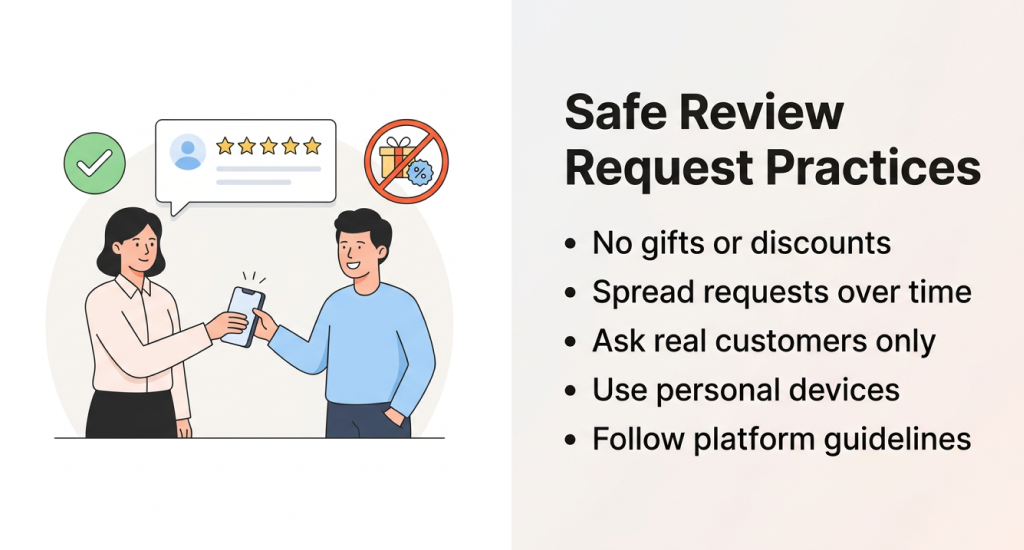
You should never offer gifts, discounts, or rewards for reviews. Avoid asking many customers on the same day. Spread requests over time. You should ask real customers to post reviews using their own personal devices and internet connections.
Monitor and Record Review Activity
Check your review count every day or week and save the numbers in a spreadsheet. Try to record reviewer names and take screenshots when new reviews appear. These records help you prove changes if reviews disappear later.
Use Multiple Reputation Platforms
Do not depend only on Google for your online reputation. You should create strong profiles on Yelp, Facebook, and trusted industry platforms. It reduces risk if one platform faces review display or system issues.
Set Clear Internal Review Rules
You should create a simple internal policy for review campaigns inside your business. You can assign one responsible person to manage your Google Business Profile optimization. Clear ownership prevents mistakes and reduces risk of sudden review loss.
The Core System Behind Missing Reviews: Google Business Profile Review Infrastructure
Many owners see reviews disappear and feel confused. The real answer sits inside the Google Business Profile system. When you understand how this system works, the problem feels less mysterious and easier to manage.
How Reviews Function Inside Google Business Profile
A customer writes a review through Google Search or Google Maps. The review connects to your specific business listing. Google stores this review inside its internal system before public display appears on your profile.
Relationship Between Reviews and Google Maps Listings
Your Google Business Profile and your Google Maps listing are closely connected. Reviews attach to the Maps location first. That same data then appears in Google Search results for your business.
Public Display vs Backend Storage
Every review has two states. One state is a public display, which customers can see. The other state is backend storage, which exists inside Google’s system even if hidden from public view.
Review Visibility Lifecycle
A review follows several stages inside the system. First, a customer submits the review. Next, Google checks it through automated moderation. Then the publication happens if it meets the guidelines. Suppression may occur later if risk signals appear.
Review Count Recalculation vs Actual Deletion
Sometimes the review count changes because of system recalculation. It does not always mean true deletion. Actual deletion removes the review from storage, while recalculation adjusts visible numbers after internal audits.
End Note
A drop in reviews does not always mean something is wrong with your business. Many technical, policy, or account issues can cause sudden changes in numbers. When you understand the real cause, fear becomes clarity and action becomes easier.
Stay alert and keep simple records of your review activity. You should follow safe review practices and maintain a clean business profile. These steps help you protect your reputation and reduce the risk of losing reviews again.