Service area business (SAB) creates city pages to rank for “[service] in [city]” searches in towns where they don’t have a physical office. Each city page must function as a mini-homepage for that location, with 40 to 60% unique content, local proof, and a structure that avoids the doorway page trap entirely.
In 2026, cookie-cutter city pages that only swap the city name no longer rank. Google’s ranking systems now detect and demote these thin, near-identical pages faster than ever before.
This guide walks through exactly how to create city pages for service area businesses that hold up under scrutiny, both from Google’s algorithms and from real customers searching for help in their town.
What Is a Service Area City Page (and Why You Need One)
A service area city page is a dedicated URL targeting one specific city inside your service area. It exists because SABs like plumbers, HVAC techs, cleaners, and contractors don’t have a storefront in every town they serve.
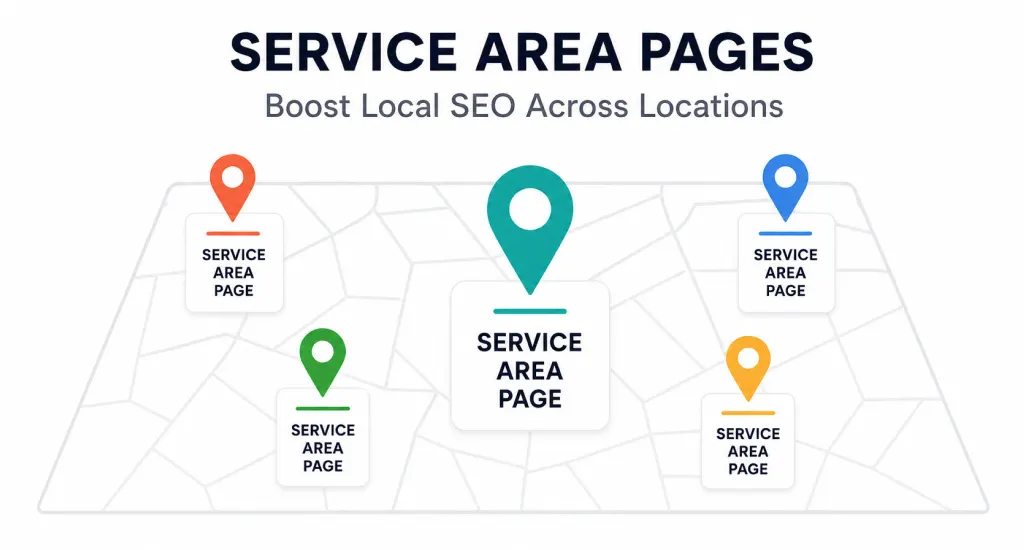
Google Business Profile Optimization alone won’t rank you in cities more than a few miles from your registered address, since the local pack weighs distance from the searcher heavily. City pages fill that exact gap.
Why you need one:
- Your Google Business Profile ranks you in the local pack mostly near your registered address, not every town you serve.
- Organic results below the map pack reward on-page relevance based on how close the searcher is to you.
- A dedicated URL lets you target “[service] in [city]” keywords directly, something one homepage can’t do for fifteen towns at once.
- It gives you a ranking without a physical office, which is the entire point of an SAB.
Think of each city page as its own small storefront inside a much larger site, built specifically to answer one town’s search intent rather than trying to serve all of them at once.
Service Area Pages vs. Location Pages: Know the Difference
Service area pages and location pages solve different problems and should never be built the same way. A location page represents a real, physical address. A service area page represents a place you serve but don’t operate from.
| Location Page | Service Area Page | |
|---|---|---|
| Address | Real, physical storefront | Registered business address (not the city) |
| Map | Pin at the exact address | Coverage area or radius |
| Hours | Store-specific hours | Service availability |
| CTA | “Visit us at [Address].” | “Book service in [City]” |
Location pages suit multi-location brands with actual doors that customers can walk through. Service area pages suit an SAB covering a city it drives to, not one it operates from. Mixing these up, like adding a fake address to a service area page, creates NAP problems that hurt your entire Google Business Profile down the line.
How Many City Pages Should You Create?
Only build a city page if the town has real search volume and you have genuine local proof to back it up. Use SEMrush, Ahrefs, or Google Keyword Planner to check “[service] + [city]” volume before you write a single word.
A rough threshold that’s worked across dozens of client builds: if the keyword pulls 10+ monthly searches and you’ve completed at least one real job in that city, it’s worth a page.
- Targeting 50 cities but only working in 10 of them? Build 10 strong pages, not 50 thin ones
- Doorway pages get penalized precisely because they multiply thin content across near-identical URLs
- AI for Local Business tools can speed up research, but they can’t replace a completed job as proof of legitimacy
Quality beats quantity every time here. Ten pages backed by real work will outperform fifty pages backed by nothing.
The Essential Structure of a High-Ranking City Page
Every city page that actually ranks follows the same underlying structure. Here’s each piece broken down, in the order it should appear on the page.
Localized H1 and Title Tag
Use this format every time: “[Primary Service] in [City Name] | [Brand].” For example, “HVAC Repair in Asheville, NC | ABC Heating & Cooling.”
- Include the city in the H1, the title tag, the meta description, and the URL slug
- A URL like yoursite.com/hvac-repair-asheville beats a generic slug every time
- This is the single strongest on-page signal for local intent
City landing pages live or die on this first signal, so don’t skip or shortcut it.
Introduction Paragraph With Local Proof
The first 100 words should name the city, mention a nearby landmark or neighborhood, and state how long you’ve served the area. For example: “We’ve served Asheville homeowners since 2015, from West Asheville to Biltmore Village, handling everything from summer AC failures to winter heat pump repairs.”
This proves genuine local relevance to both Google and the person reading it, within the first scroll of the page.
Unique Local Content (40-60% Minimum)
At least 40 to 60% of every city page must be unique local content written specifically for that town. This is where most SABs fail, and it’s the single biggest ranking lever on the page.
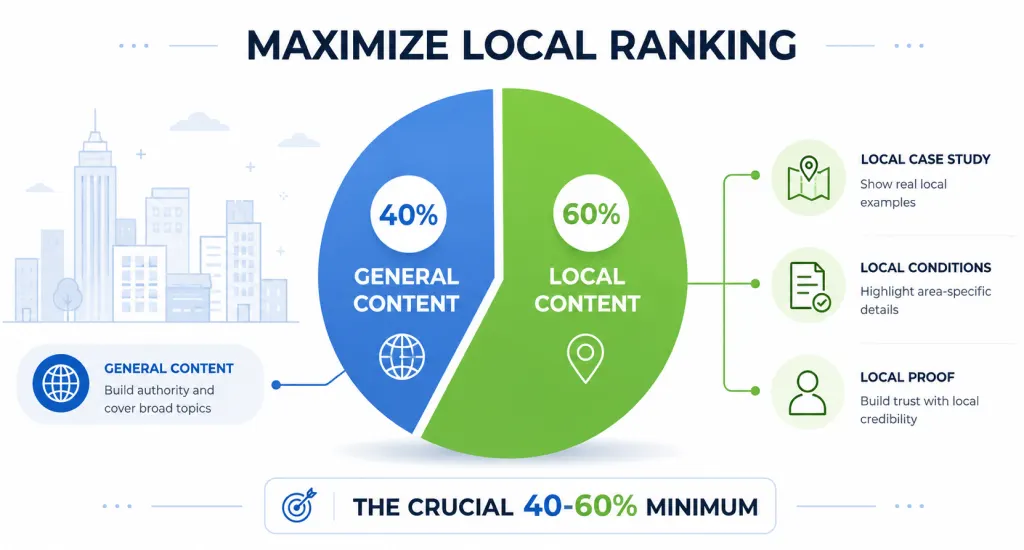
Ideas that actually work: a short case study from a real job covering property type, problem, and solution; local conditions like high humidity in Charleston or hard water in Phoenix suburbs; local permit requirements; a note about a team member from that city; local sponsorships.
This same Local SEO to National SEO logic scales as you grow: strong, unique city pages build the local authority that eventually supports broader rankings too.
City-Specific Testimonials, Photos, and Case Studies
Include two or three reviews from customers in that specific city, ideally mentioning their neighborhood. Use real photos from completed jobs there, never stock images.
Rename the image files with the city name and add descriptive alt text, like “hvac-install-asheville-nc.jpg.” City-level testimonials paired with real photos signal a genuine experience that both Google and AI search systems reward.
NAP, Embedded Map, and Service Area Details
Include your business NAP (Name, Address, Phone), using your actual registered address, not the city being served. Add an embedded Google Map showing your coverage area as a radius or polygon, not a pin at a fake location.
List the neighborhoods, ZIP codes, or nearby towns you cover within that city. This is your service area map, and it grounds the entire page in geographic honesty rather than implying a storefront that doesn’t exist.
LocalBusiness Schema Markup
Add LocalBusiness schema (or a more specific subtype like Plumber or HVACBusiness) to every city page you publish. Include the “areaServed” property with the city name and coordinates so crawlers know exactly which location this page targets.
The full property list is documented at schema.org/LocalBusiness, and it’s worth referencing directly when you’re building this out with a developer. Structured markup, sourced from schema.org/LocalBusiness, is what tells AI crawlers and Google’s systems this page has a defined, legitimate service radius rather than a vague claim.
Clear, City-Specific Call-to-Action (CTA)
Use CTAs written for that city throughout the page: “Book AC Repair in Asheville,” “Get a Free Quote in Charleston,” “Call for Same-Day Service in Boulder.” Repeat it two or three times, at the top, middle, and bottom of the page.
Include both a phone number and a form. City-specific CTAs convert 20 to 30% better than a generic “Contact Us” button, which is a difference worth chasing on every page you build.
Internal Linking Structure
Build an “Areas We Serve” hub page that lists every city page, linked from your main navigation or footer. This single hub is what keeps your city pages from becoming orphaned.
From each city page, link back to your core service pages and to nearby city pages, so an Asheville page links to Hendersonville, Weaverville, and Black Mountain. This kind of internal linking distributes authority across the cluster and helps Google map your actual coverage.
Every city page must be reachable in two clicks or fewer from the homepage. Anything more buried than that starts to look like the kind of isolated, hard-to-navigate page Google flags in its own spam policies for doorway pages.
Common Mistakes That Kill City Page Rankings
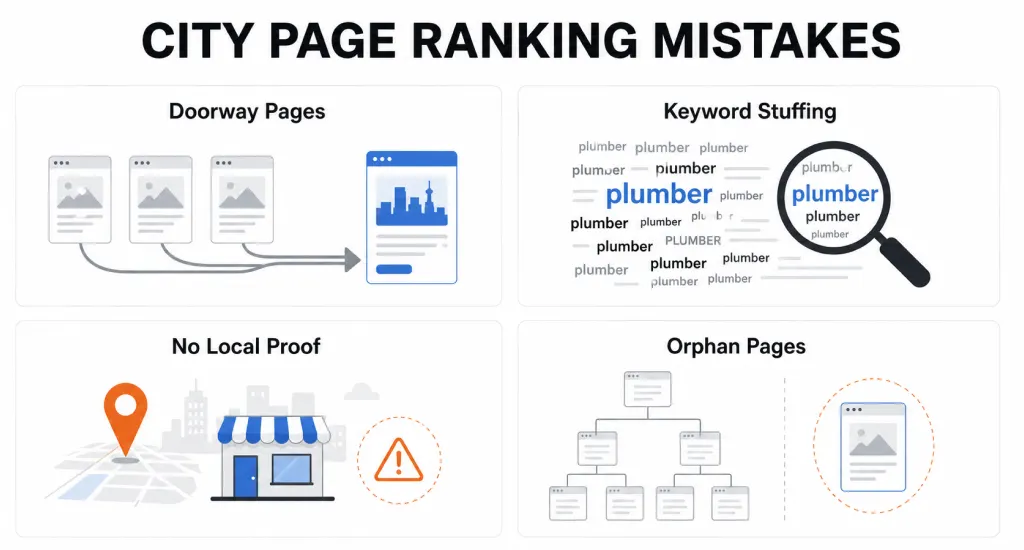
Most city pages fail for the same four reasons, and every one of them is fixable before you hit publish.
Doorway Pages
Fifty near-identical pages with only the city name swapped are exactly what Google’s Helpful localized content systems and manual reviews demote or deindex. According to Google’s official spam policies, pages built to funnel visitors toward one destination without unique value are treated as a direct violation. Every page needs genuine, standalone worth.
Keyword Stuffing the City Name
Repeating “Asheville plumber Asheville plumbing services Asheville” reads as spam to both readers and crawlers. Use the city naturally three to five times across a 600-word page, never more.
No Local Proof
Zero reviews, stock photos, and no case studies are an instant tell. Google can identify thin, generic pages just as easily as a human reader can.
Orphan Pages
Pages that nobody can navigate to from the main site rank poorly and confuse crawlers entirely. Building pages for cities you don’t actually serve compounds this, creating dishonest content that also risks NAP mismatch problems with your Google Business Profile.
Final Thought
How to create city pages for service area businesses comes down to one core discipline: build fewer pages, but make each one genuinely true to that city. Real proof beats volume every single time.
Skip the shortcuts, and your city pages become one of the strongest organic channels available to a business without a storefront in every town it serves.