You can verify Google My Business without postcard delivery through video recording, phone verification, email confirmation, Google Search Console, or a support ticket.
Google has phased out postcard verification because it was slow and easy for spam listings to exploit. The system now assigns your verification method automatically, based on business type, location, and online history.
In 2026, video verification is the most common option offered, especially for service-area businesses without a storefront. This guide walks through every alternative, plus what to do if verification fails.
Why Google No Longer Relies on Postcard Verification
Postcard verification took up to 14 days to arrive, and many owners never received their code at all. Lost mail, wrong addresses, and mailroom delays made the Google Business Postcard unreliable for confirming real businesses.
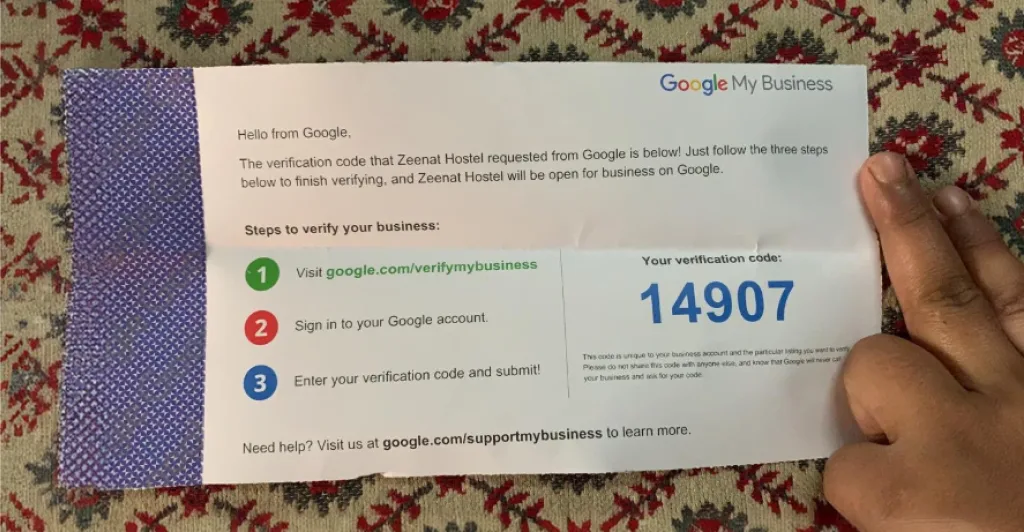
Google also faced a growing problem with fake listings cluttering Maps and search results. According to CBS News, Google removed or blocked roughly 12 million fake business profiles in 2023, about a million more than the year before. Newer methods like video proof, phone ownership, and domain confirmation happen almost instantly and are far harder to fake than a mailed code.
Some businesses still see the postcard option today, but it appears less often each year. Google’s ongoing fight against fraudulent listings drives this shift, not just convenience for business owners.
5 Ways to Verify Your Google Business Profile Without a Postcard
Google decides which verification methods appear on your account, so you cannot pick freely from a menu. Log in to Google Business Profile Manager, select your business, and click Get Verified to see your options. If only one method shows up, that is what Google requires for your listing.
If a dropdown lists several choices, pick whichever feels most convenient. Below are the five most common ways to verify a GBP listing without a postcard.
Video Verification
Video verification has become the most common method Google offers in 2026, especially for service-area businesses. Google gives you two options here, and either one confirms your business without mailing anything.
The first is a video recording. Record one to two unedited minutes showing your current location from outside, including a street sign or storefront, then move inside to show equipment and proof of operations like a business license or utility bill. Keep GPS enabled throughout, and avoid showing faces or sensitive documents.
The second option is a live video call with a Google support agent, who guides you through the same process in real time. Review for either method takes up to five business days. Make sure your signage matches your profile name exactly, since mismatches are a common rejection reason. If you run a service-area business from home, show a branded vehicle, uniform, or equipment instead of a storefront.
Phone or SMS Verification
Phone verification sends a five-digit code to your business number through an automated call or text message. This method works almost instantly, and Google delivers the code within seconds of your request. It ranks among the fastest alternatives to postcard verification for eligible business types.
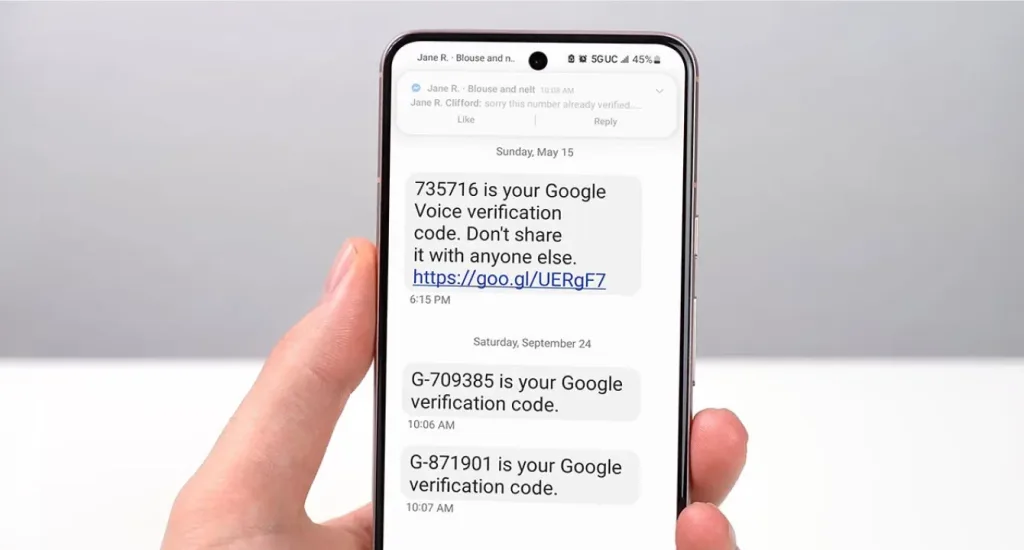
IVR systems and auto-attendants block these automated calls before they reach a live line. Disable any call screening or menu system temporarily before you request the code. You can also add a direct extension to route the call straight to a real phone instead of a queue.
Your phone number must match exactly what appears on your Google Business Profile listing, down to the area code. A mismatch here often causes silent failures, where Google sends the code, but it never confirms your business. This step also supports broader Google Business Profile Optimization, since accurate contact details improve trust across your entire listing.
Email Verification
Email verification sends a code to an address that shares your business website domain, such as info@yourbusiness.com. Google checks the domain against your listed website before sending anything, so the two must already match on file.
Free email providers like Gmail or Yahoo do not qualify for this method. Google needs proof that the email address ties directly to your business domain, not a generic personal account. If your business runs on a custom domain, this option often appears automatically during setup.
Click the verification link or enter the code manually within 30 days of receiving it. Waiting past this window forces you to restart the entire process from scratch. This method shows up more often for established businesses with a verified website, consistent branding, and a longer history on Google’s systems.
Google Search Console Verification
Can you use Search Console to verify your business on Google? Yes, if your website already carries verification in Google Search Console, you may qualify for instant approval when you claim your profile. Google trusts this method heavily because it already confirms domain ownership through a separate system.
This route is the fastest available option, often finishing in seconds rather than days. It also remains the least commonly offered method, since it depends on the existing technical setup that most owners skip. Businesses that manage their own websites and have connected Search Console early tend to see this option appear first.
The Search Console account email must match the email tied to your Google Business Profile account exactly. A mismatch between these two accounts blocks the instant approval, even if both are verified separately. Confirming this alignment ahead of time saves a failed attempt and speeds up your entire verification timeline.
Submit a Support Ticket
Submitting a support ticket works as a last resort when every other method fails or returns repeated errors. You can request manual review through the Google Business Profile Help Center, where a Google My Business verification without the postcard service team examines your documentation by hand rather than through automated checks.
Prepare clear photos of your signage, a copy of your business license, and utility bills that confirm your address. Google’s reviewers compare these documents against your profile details before approving anything, so accuracy matters more than speed here. Blurry photos or mismatched addresses often delay the process further.
This manual process can take several weeks from submission to final approval. Only pursue this route after attempting video, phone, email, and Search Console verification first. While you wait, this is also a good time to review your listing for issues like a Google Review Not Showing Publicly, since support tickets sometimes surface other account problems worth fixing together.
What to Do If Google My Business Verification without Postcards Fails
Video rejections usually trace back to a few common mistakes during recording. Check these details before resubmitting your video to Google’s review team.
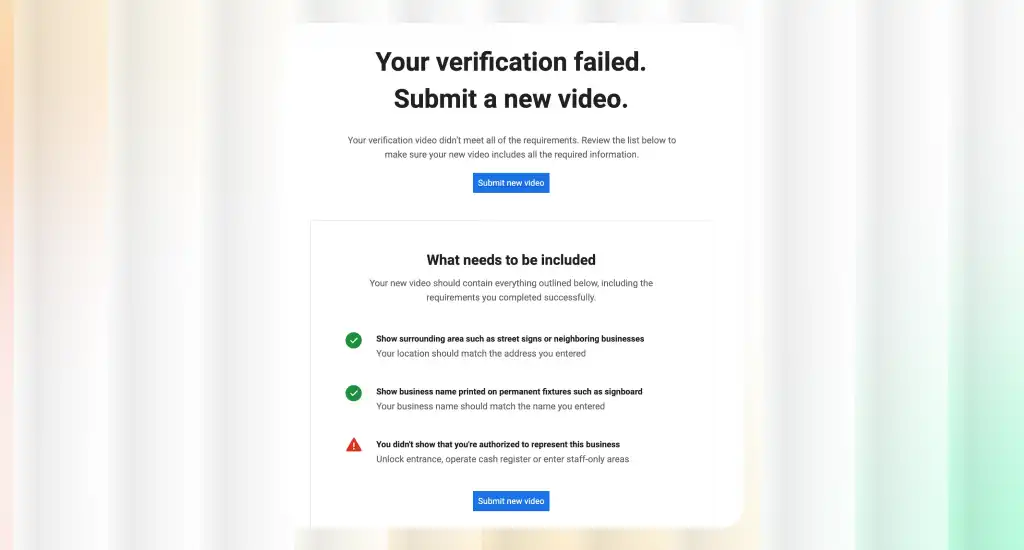
- GPS was disabled during recording
- Signage does not match your profile name exactly
- The video was edited or trimmed
- The address looks inconsistent across your website and directories
Phone verification failures often come from blocked automated calls rather than a wrong number. Disable any IVR system or auto-attendant, then request a fresh code once your line is clear.
Postcards that never arrive require patience before you take further action. Wait the full 14 days first, since requesting early cancels your original code entirely.
- Never request a second postcard before day 14
- Remember, codes expire 30 days after arrival
- Confirm your mailing address matches your profile exactly
- Check with anyone else who receives mail at that address
Email verification sometimes fails when the domain does not match your website record. Confirm your email uses the same domain as your listed business website before resubmitting.
If multiple methods keep failing despite following every step correctly, escalate through Google’s own tools. Use the Verification Checker tool first, then contact support directly if problems continue.
NAP consistency remains the single biggest factor behind smooth verification across every method available. Your business name, address, and phone number must match everywhere online, including directories, your website, and your profile.
- Audit your Google Business Profile against your website footer
- Check listings on Yelp, Facebook, and industry directories
- Fix any outdated addresses from previous business locations
- Update: phone numbers changed after switching providers
Small inconsistencies, like a suite number or an abbreviated street name, can trigger repeated failures. Reviewing these details first often resolves verification problems faster than resubmitting the same request.
End Note
Postcard verification is fading, and Google now favors faster methods like video, phone, email, and Search Console verification. So, you no longer need to be concerned about how to verify GMB without postcards.
Most business owners find their available options automatically inside Google Business Profile Manager, based on business type and history.
Choose whichever method Google offers, follow the steps carefully, and double-check NAP consistency beforehand. If problems persist, a support ticket remains your final option for getting verified without a postcard.