Many website owners get confused about geo-targeting and location-based content. Terms like geo-redirect, geo-content, and personalization often get mixed up, and it becomes hard to know which one fits your site. Some think it requires heavy coding, while others think a single plugin handles everything.
In reality, the process is simple once you break it down. Your website detects a visitor’s country from their IP address and then applies a rule to change specific content, such as language, pricing, or a CTA button, based on that location.
This guide explains how to change website content based on the visitor’s country in clear steps. You will learn the different methods available, how the personalization workflow actually works, and the SEO practices that keep your site safe from common mistakes.
What is Geo-Targeting and Location-Based Content Personalization
Your website visitors come from different countries, and each of them has different needs. A tool called geo-targeting helps you show the right content to the right people based on where they are.

The Simple Definition of Geo Targeting
Geo targeting means your website detects a visitor’s location and shows them content that fits their country, city, or region. You may also hear it called location-based content, geolocation-based personalization, or visitor country targeting.
All these terms point to the same idea: your website changes based on where someone is.
Personalization vs Localization: Are They the Same?
These two words sound similar, but they are different. Personalization means you adjust the content for a specific visitor, like showing them their local currency or a nearby store.
Localization means changing the language on a website or adapting it for a specific culture. Geo-targeting can do both, but they are not the same thing.
Why This Actually Matters for Your Website
People trust websites that feel familiar to them. A site that shows local prices, local language, and local offers gets more attention and more sales.
- Better user experience: Visitors stay longer on a site that matches their language and local needs.
- Higher engagement: People click more and explore more pages when the content feels relevant to them.
- More conversions: A visitor who sees their own currency and local offers is more likely to buy.
- Audience segmentation: You can split visitors by location and send each group the most useful content.
- Context-aware delivery: Your site reads the visitor’s location and serves the most suitable content automatically.
5 Ways to Change Website Content Based on Visitor Country
There are multiple ways to show different content based on the visitor’s country. The right method depends on your technical skill, your platform, and how fast you need results.
1. Plugin-Based Method (Beginner Friendly)
WordPress plugins like GeoTargeting Pro let you set simple rules inside your dashboard without any coding. The plugin detects a visitor’s country and shows or hides specific content automatically.
- Text and CTAs: Show different messages or local offers to each country.
- Pricing: Display the correct currency for each region automatically.
- Best for: Website owners with no coding background.
2. No-Code SaaS Tools
Tools like GeoTargetly work on almost any website. You control everything from a clean dashboard with zero code required.
- Geo content: Swap text, images, or banners based on visitor country.
- Geo redirect: Send visitors to a country-specific page without manual work.
- Best for: Marketers and agencies managing multiple websites.
3. JavaScript and API Method
Your page runs a small JavaScript code that calls a geolocation API. The API returns the visitor’s country, and your code updates the page content based on that result. This method works well for custom websites and SaaS products where you control the frontend code directly.
4. Server-Side Detection
Your server detects the visitor’s country before the page loads. PHP GeoIP functions and Node.js middleware both handle this on the backend side.
- Faster loads: The server prepares the right content before sending it to the browser.
- SEO-friendly: Search engines read the correct regional content every time.
- Best for: Developers who care about speed and search visibility together.
5. CDN-Based Detection
Cloudflare adds a header called CF-IPCountry to every request. Your website reads this header and serves the right content with no delay and no extra API calls needed.
- Zero API calls: Country data comes directly from Cloudflare at full speed.
- Edge computing: Content rules run at the server nearest to your visitor.
- Best for: High-traffic websites that need fast global performance.
Step-by-Step Personalization Workflow (How It Actually Works)
A content personalization engine is the system behind all location-based changes on your website. It follows a clear set of steps to detect, decide, and deliver the right content to each visitor.
Step 1: Create Your Audience by Country
First, you define who sees what. You group your visitors by country or region. This is called country-based segmentation. You can also try local to national level SEO. For example, you can create one audience for the US, another for the UK, and a separate one for Australia.
Step 2: Set Your Targeting Rules
Next, you write the rules that control your content. Most tools let you use AND/OR logic. For example, you can say “show this banner IF the visitor is from Canada AND visits on a mobile device.” These rules give you very precise control.
Step 3: Choose Your Content Slots
A content slot is a specific area on your page that will change. Common slots include your main banner, a call-to-action button, a pricing block, or a promotional strip. You pick which parts of the page will have different versions.
Step 4: Create Content Variations
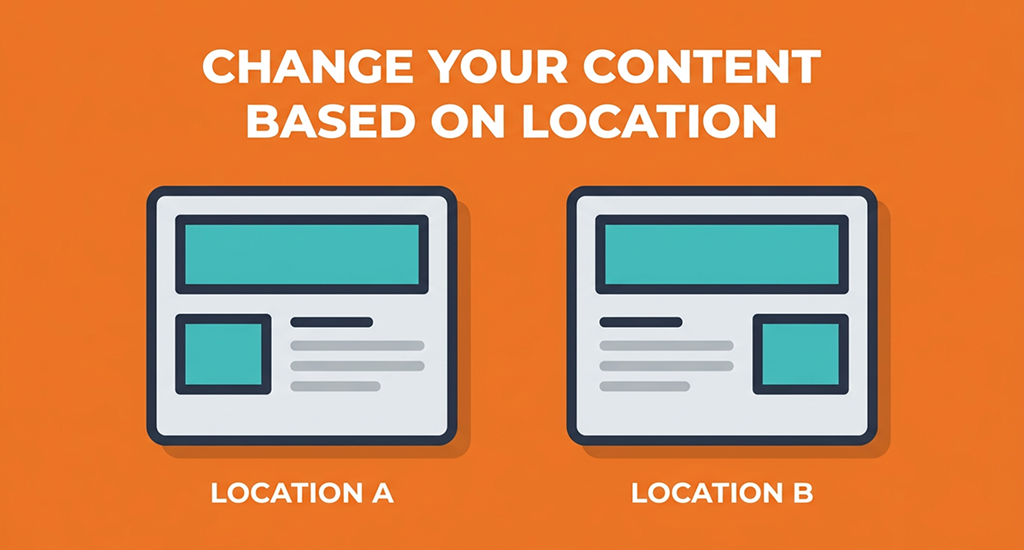
Now you build a separate version of each content slot for each country. A visitor from France sees a French headline. A visitor from the US sees a dollar price. Each variation is stored inside your personalization tool.
Step 5: Apply Conditional Logic
This step connects your rules to your variations. The system checks the visitor’s country, matches it to the correct rule, and then renders the right variation. This process is called conditional rendering, and it happens in milliseconds.
Step 6: Set Campaign Priority
Sometimes two rules match the same visitor. Campaign prioritization tells the system which rule wins. You rank your campaigns so the most important one always takes effect first.
Step 7: Schedule Your Campaigns
You can set start and end dates for each variation. This is called time-based targeting. A holiday offer for Germany can go live on December 1st and stop automatically on December 26th.
Step 8: Preview and Publish
Before going live, most tools let you preview each variation by simulating a visitor from a specific country. Once everything looks right, you publish, and the system handles the rest.
For advanced setups, you can stack multiple campaigns on the same page and combine behavior data with location data for even sharper targeting.
What Website Content Can Be Changed Based on Country
Many parts of your website can change based on a visitor’s country. From basic details to full sections, almost every part of your page can adapt to fit each visitor.
Core Elements That Form the Visitor Experience
These are the basic building blocks that shape how a visitor reads and trusts your page. Small changes here often create a big difference in comfort.
- Language: Show the page in the visitor’s native language for easy reading.
- Currency and pricing: Display local currency so visitors understand the real cost instantly.
- Phone numbers: Show a local number that visitors feel comfortable calling.
- Shipping info: Display delivery times and costs specific to each country.
- Product availability: Hide items that cannot ship to certain regions.
- Legal notices: Show terms, tax rules, or disclaimers required by local law.
Advanced Sections You Can Personalize
Beyond basic details, you can change entire sections of your page. This gives each visitor a layout that feels built just for them.
- Hero section: Change your main headline and image to match local interests.
- Announcement bar: Show a country-specific message at the top of your page.
- CTA buttons: Adjust button text to match local language or local offers.
- Landing page sections: Rearrange or swap blocks based on visitor location.
- Images and copy: Use photos and wording that feel familiar to each region.
Marketing Content for Each Region
Marketing teams use location data to run smarter campaigns. You can also measure local CTR to see how well each regional version performs.
- Location-based offers: Show discounts or deals that only apply to certain countries.
- Regional campaigns: Run separate promotions designed around local events or seasons.
Trust Signals That Build Local Confidence
Visitors feel safer when a website shows details close to their own location. These small additions build trust quickly.
- Local address: Display an office or store address near the visitor.
- Local contact info: Show an email or number that matches their region.
SEO Best Practices for Country-Based Content
When you change content based on country, your website structure matters a lot. Search engines need a clear way to read each version of your page.
URL Structure: The Most Important Part
Your URL structure tells search engines how your content is organized. You can use subdomains like us.example.com or subdirectories like example.com/us/. Both options work, but subdirectories are often easier to manage and keep your domain authority unified.
Why URL Structure Matters So Much
A clear structure helps search engines index each country page correctly. This leads to better country-specific ranking, since Google can show the right page to the right audience. Without this, your pages may compete against each other.
Tags and Crawlability You Must Include
Every country version needs hreflang tags. These tags tell search engines which language and region each page targets. Your pages must also stay fully crawlable, so search engines can find and read every version without blocks.
Common Mistakes to Avoid
Avoid duplicate content issues by keeping each country page unique. Also watch for incorrect redirects, since sending visitors to the wrong country page hurts both rankings and user trust.
The Bigger Strategy
Think about a full multi-country website architecture from the start. True localization goes far beyond translation, and even older signals like Google Plus for SEO once played a role in how sites built regional authority.
Geo Redirect vs Dynamic Content (Key Difference for SEO & UX)
These two methods sound similar, but they work in very different ways. Knowing the difference helps you pick the right one for your website goals.
What Geo Redirect Does
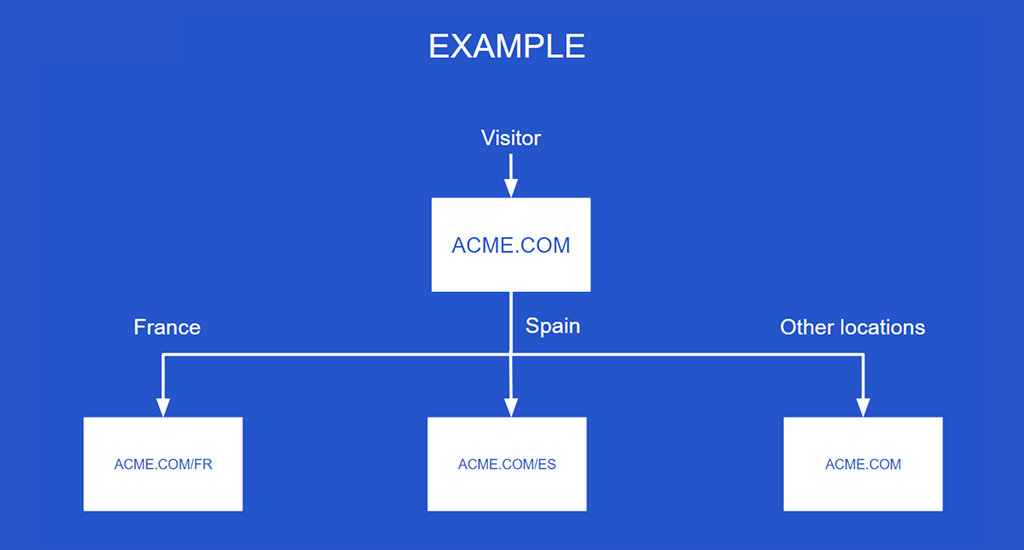
Geo redirect sends a visitor to a completely different URL based on their country. A visitor from the US may land on us.example.com, while a visitor from the UK gets sent to /uk/.
Each version offers full localization, with its own language, currency, and layout built specifically for that region.
What Dynamic Content Does
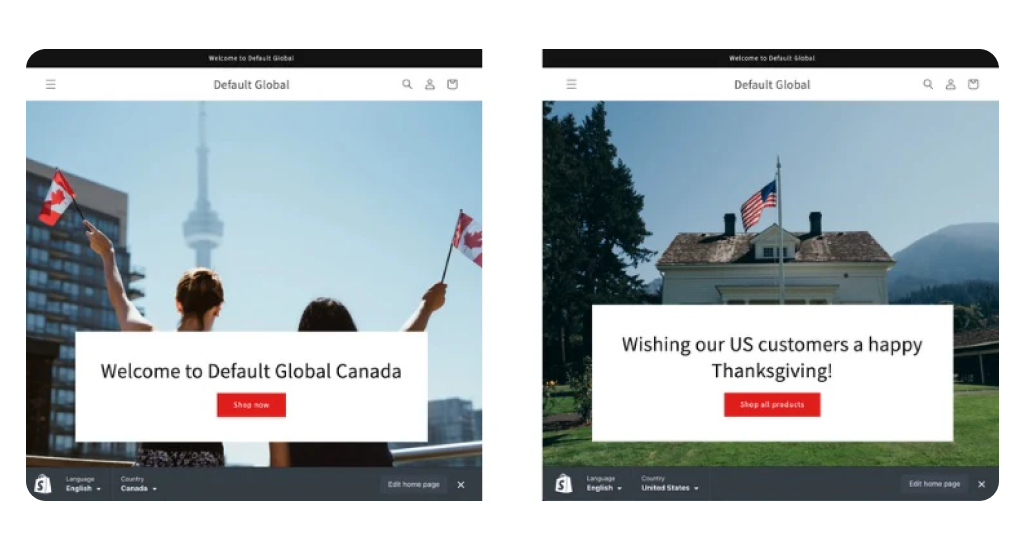
Dynamic content, also called geo content, keeps the visitor on the exact same URL. Instead of moving them anywhere, your page simply changes parts of itself based on location. This usually means adjusting the text, currency, or CTA button without touching the URL at all.
When to Use Each Method
Choose geo-redirect when you want to offer a full country experience with separate pages built for each region. Choose dynamic content when you only need partial personalization, like changing a price or a headline, without creating extra pages.
How This Affects SEO
Geo redirect creates multiple URLs, so it directly affects how search engines index your site. Each version needs its own SEO setup. Dynamic content keeps a single URL, which makes indexing simpler but limits how deep your localization can go.
Many teams now use AI for local SEO to decide which approach fits each page best.
Common Problems, Limitations & Fixes
Location-based content does not always work perfectly. A few common problems can affect both your visitors and your search rankings.
Common Problems You May Face
- VPN users: A visitor using a VPN may show a country that does not match their real location.
- IP accuracy limits: IP-based location is not always exact, especially in shared networks or mobile data.
- API latency: Calling an external API for location data can slow down your page load time.
- Language mismatch: A visitor’s country does not always match their preferred language.
- SEO risks: Multiple country pages can create duplicate content if not set up correctly.
Simple Fixes That Solve Most Issues
- Multi-layer detection: Combine IP address data with the browser’s Accept-Language header for better accuracy.
- Manual country switch: Add a simple option so visitors can change their country themselves.
- Use a CDN: A content delivery network speeds up location detection and page load times.
- Optimize API calls: Cache location data so your page does not call the API every single time.
- Proper hreflang setup: Use correct hreflang tags so search engines index each country page the right way.
Final Takeaway (Core Logic)
At its core, the process stays simple. Your website detects a visitor’s location, applies your rules, and then changes the content to match. This is the basic idea behind how to change website content based on visitors’ countries.
The best method for you depends on your skill level, your performance needs, and your overall SEO strategy. For the strongest results, combine IP detection with a CDN, a solid SEO structure, and smart personalization rules working together.