Google may block, delay, or filter your review, which is why your Google review may not be visible publicly. It can happen even if you wrote it with good intent. The system checks reviews to stop spam, fake posts, or rule breaks. Sometimes, real reviews also get caught in this process.
Google uses an automatic filter. It means a computer system checks every review before it shows to the public. If your review has a link, strong words, or looks unusual, the system may hide it.
Do not worry. In this blog, you will learn the real reasons behind this issue and simple steps to fix it. You should keep reading to see what you can do next.
Quick Summary: What’s Happening When a Review Is “Visible to You, Not to Others”
When a review shows on your profile, but others cannot see it, Google may hide it for checks or rule review. It often happens through an automatic filter, not direct action by the business.
- Review shows on your account but stays hidden from public view.
- Your account may have been flagged for suspicious activity.
- Review may sit under system check or content review.
- Most cases happen because of automatic filtering.
- Business owners usually do not delete reviews directly.
- This guide helps both reviewers and business owners.
- Main platforms involved: Google Reviews, Google Maps, Google Business Profile.
- Rules are based on Google Review Policy.
- Support help comes from the Google Maps Help Community.
Before You Troubleshoot: Confirm the Review Is Actually Not Public
First, make sure your review is truly hidden. Sometimes it looks invisible, but it only appears that way because you are logged into your own account. Google often shows you your own review first.
Before you assume there is a problem, do a few simple checks. These steps help you see what other people actually see. It takes only a few minutes and can save you stress.
- Check While Logged Out – Sign out of your Google account, then search for the business again. It shows the public version of the page.
- Use Incognito / Private Mode – Open a private browser window and search the business on Google Maps. It hides your login session.
- Sort by “Most Recent” – On Google Maps, you should change the review filter to “Most recent” so new reviews appear first.
- Check from Another Device – You can use a different phone or computer, or ask a friend to look at the review from their account.
15 Main Reasons Your Google Review Is Not Showing Publicly
As you know, there can be many reasons behind this issue. Some are simple. Some relate to Google rules. We made the list below to help you check each possible cause and see what affects your review.
Reason 1: Google Review Policy Violations (Most Common)
Google has rules for reviews. These rules sit inside the Google Review Policy. If your review breaks these rules, Google may hide or remove it. It is one of the most common reasons.
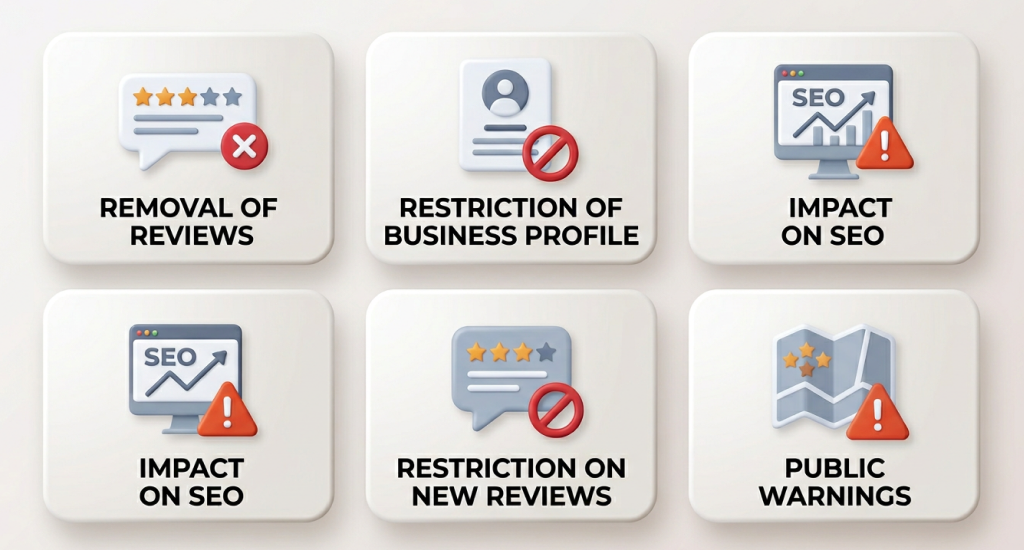
The system blocks reviews that look fake, paid, or forced. It also removes content that attacks, insults, or threatens someone. Strong abuse or hate speech also triggers removal. Google wants reviews to stay helpful and safe.
Other triggers include promotional text, coupon offers, or sales messages. Links, phone numbers, and email addresses often cause suppression. Copy-paste text, repeated keywords, or very short and low-effort reviews may also get filtered.
What often triggers removal or suppression:
- Spam, fake, or paid reviews.
- Harassment, threats, or abusive remarks.
- Profanity or hate speech.
- Promotions, discounts, or sales talk.
- Links, URLs, phone numbers, email addresses.
- Duplicate or template-style text.
- Repeated keywords.
- One-line, low-detail reviews.
Reason 2: Google’s Automated Review Filtering Algorithm (AI-Based Moderation)
Google uses automated systems to check reviews. These systems work with pattern detection and activity signals. They scan text, account history, and behavior before a review appears publicly.
This process is called algorithmic filtering. It looks for unusual patterns, like sudden review activity or similar text across accounts. If something looks suspicious, the system may suppress the review.
There is a difference between suppression and removal. Suppression means the review stays hidden from the public. Hard removal means it disappears completely. Google does not always explain the exact reason. It can protect the system from abuse.
Reason 3: Shadow Filtering / “Ghost Review” (You Can See It, Public Can’t)
A shadow filter means you can see your review, but other people cannot. It appears on your profile, yet the Google review not showing publicly on Google Maps or the business listing.
It often connects to trust signals, content signals, or network signals. Trust signals relate to your account history. Content signals relate to your review text. Network signals relate to device or general activity patterns.
It may feel like censorship. Many users think the business hid the review. In most cases, the system makes this decision through automated checks, not by manual action.
Reason 4: Review Velocity Spikes (Too Many Reviews Too Fast)
Google watches how fast reviews appear on a business profile. A sudden burst of reviews within hours or days can raise a red flag. The system may pause or hide some of them.
It often happens after a campaign or a mass email request. If many customers post at the same time, the pattern can look unnatural. Incentives like discounts for reviews can also trigger suspicion.
Google systems detect what looks like “review clustering.” It means many reviews arrive close together with a similar tone, timing, or rating pattern.
Common triggers include:
- Large review campaigns in a short time.
- Bulk SMS or email requests.
- Rewards or discounts for reviews.
- Many 5-star reviews were posted within hours.
Reason 5: Conflict of Interest Filtering
Google does not allow biased reviews. If you work for the business, own it, or have a close link, your review may not appear publicly. The system tries to keep reviews fair.
Reviews from competitors can also face removal. Google checks business relationships and account signals. If there is a strong connection, the review may look unreliable.
Posting your own business review is against policy. Multiple reviews from the same place or device can also trigger filtering.
Common conflict signals:
- Employee or owner account.
- Family member review.
- Competitor account activity.
- Several reviews from one device or location.
Reason 6: Network / IP Signals (Business Wi-Fi, Same IP, VPN)
Your internet connection can affect review visibility. If you post while connected to business Wi-Fi, Google may treat it as suspicious. The system may think the business controls the review.

When many reviews come from the same IP address or device cluster, the filter may hide them. This initiative protects against fake review networks.
VPN use can also raise risk. A sudden location change looks unusual to the system. Many users report that switching to mobile data helps the review appear.
Reason 7: Reviewer Account Issues (Trust, History, Restrictions)
Your account history matters a lot. A brand-new or inactive account may face more review checks. Google trusts accounts that show steady and normal activity over time.
If your account shows unusual behavior, the system may flag it. It can include rapid review posts, repeated similar ratings, or strange activity patterns. In some cases, accounts face limits or suspension.
Being part of the Local Guides program on Google Maps does not guarantee protection. Many experts talk about an “account trust score.” It is not public, but behavior and consistency likely affect review visibility.
Account risk factors:
- New or rarely used account.
- Past suspicious activity.
- Account restriction or temporary block.
- Unusual review patterns.
Reason 8: Location Verification & Visit Credibility Signals (Timeline/History)
Google may trust reviews more when visit signals match the business location. If your device shows you were near the place, the review may look more credible to the system.
When someone reviews many places far away in a short time, extra checks may happen. Location consistency plays a role. Sudden jumps between cities can raise system alerts.
Some users believe location history acts as a trust factor. Google does not fully confirm this. So, it is best to treat it as a possible signal, not a guaranteed rule.
Reason 9: Rating Deviation / Outlier Behavior (Why Some 1-2 Star Reviews Get Filtered More)
Outlier ratings sometimes face extra system review. If most ratings are high and one account posts extremely low scores across many businesses, the pattern may look unusual.
It is important to stay accurate here. Google does not remove negative reviews just because they are negative. The system focuses on suspicious patterns, not simple criticism.
Reviews that show repeated 1-star or 2-star ratings across many listings may trigger closer inspection. The filter checks behavior, not emotion.
Reason 10: Link Detection & “URL Triggers” (Even Innocent Links)
Links inside a review often lead to suppression. Even harmless website links can trigger Google’s filter. The system treats URLs as possible spam signals.
Affiliate links, shortened links, and contact links carry a higher risk. A simple “visit this site” with a URL may block public visibility.
The safest rule is simple: do not add links inside your review. Keep the text clean and direct.
High-risk link types:
- Website URLs.
- Shortened links.
- Affiliate links.
- Contact or booking links.
Reason 11: Photo-Based Filtering (Hidden Trigger Many Blogs Miss)
Photos can also affect review visibility. Images that show invoices, contracts, or documents may trigger privacy or spam checks. Screenshots with text can look suspicious to the system.
If a photo looks like an advertisement, flyer, or promotion, Google may hide the review. Images that show personal data can also cause suppression.
In some cases, some users report that after they delete attached photos, the review becomes public. The image, not the text, caused the filter.
Reason 12: Content Length Sensitivity (Too Long, Too Repetitive, Too Similar)
Very long reviews sometimes face an extra review by the system. If the text looks like a template or formal statement, the filter may flag it.
Repetition of the business name or services too many times can look unnatural. The system scans for keyword stuffing and repeated phrases.
Posting a similar structure across multiple reviews also increases the risk. So, try to keep your review natural, simple, and personal.
Reason 13: Moderation Delay (Normal Waiting vs Review Hold)
Not every missing review means a problem. Sometimes, Google places a review under extra checks. It’s common that Google reviews go through a moderation process. During this time, the review stays hidden from public view.
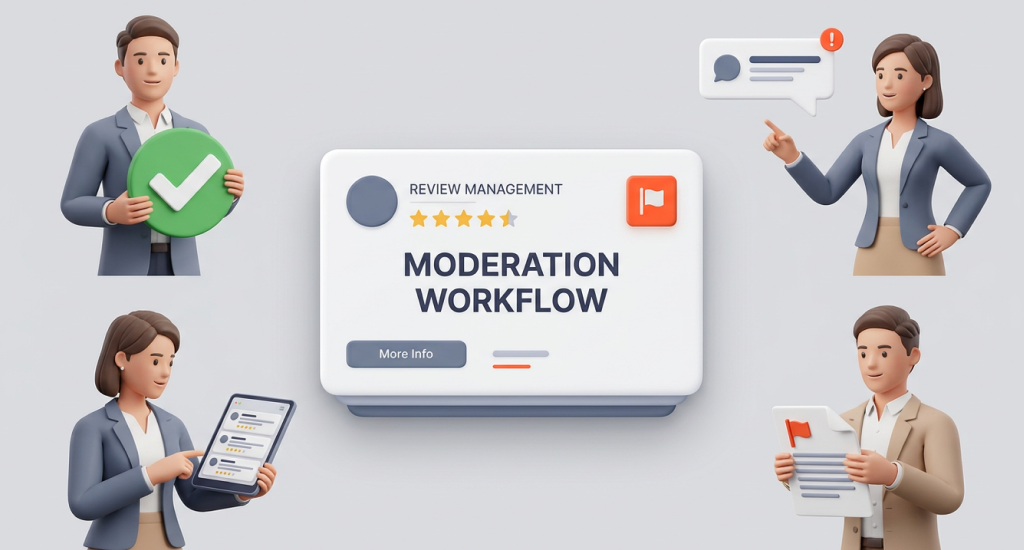
Many users report common wait times. Some reviews appear after 24 hours. Others take 72 hours or even up to 7 days. This delay often relates to automated review systems.
In rare cases, a review may never be published. It usually happens when it breaks policy or faces strong suppression signals.
Reason 14: Technical Bugs & Sync Glitches (Maps/GBP/App)
Technical issues can also hide reviews. A sync delay between systems may prevent the review from showing right away. This can happen across platforms linked to Google Maps.
Mobile and desktop views sometimes show different results. A review may appear on one device but not another. It creates confusion for many users.
Cache problems inside the app or browser can also affect display. If you can clear the cache or update the app, it may fix the issue.
Common technical causes:
- Listing sync delay.
- Mobile and desktop mismatch.
- App or browser cache issue.
- Temporary display error.
Reason 15: Business or Listing Restrictions (Reviews Disabled or Limited)
In some cases, the issue relates to the business listing itself. If a profile is marked private or not open to the public, reviews may not appear normally.
A suspended or restricted profile can also affect review visibility. When Google enforces policy on a listing, reviews may become limited or hidden.
Certain business categories may face stricter review handling. If reviews are turned off because of policy enforcement, new posts will not show publicly.
Possible listing-level issues:
- Private or restricted listing.
- Temporarily suspended profile.
- Reviews disabled by policy.
- Category with strict review rules.
If You Are the Reviewer: Step-by-Step Fix Guide
Fix your hidden review with simple steps. If your review does not appear publicly, do not panic. In most cases, small changes fix the issue. You should follow these steps in order. Each step addresses common triggers inside Google’s review system.
Step 1: Edit the Review
Open your review and clean the content. Small details often cause suppression. Remove anything that looks promotional or unnatural. You should keep the tone honest and simple.
Try to focus on clarity and personal experience. Short and natural text works better than long or repeated phrases.
What to change:
- Remove all links
- Remove phone numbers
- Remove emojis
- Add real experience details
- Avoid sales tone
- Shorten very long text
Step 2: Use the “Edit & Resubmit” Trigger
Sometimes the system needs a small push. You should edit the review and remove one letter or add a small change. Then save it again.
This action can trigger a system refresh. Many users report that the review appears after this simple update.
Quick refresh method:
- Remove one character
- Press save
- Check again after some time
Step 3: Switch Network
Your internet connection may affect visibility. Post or edit the review using mobile data instead of business Wi-Fi.
You should avoid VPN services during this process. A stable and normal location signal reduces filtering risk.
Safer network tips:
- Use cellular data
- Avoid business Wi-Fi
- Avoid VPN use
Step 4: Turn On Location History
Location signals may act as a trust factor. If your device shows you visited the place, the review may gain more credibility.
You should check your location settings inside your Google account. Make sure location history is active before reposting or editing.
Step 5: Check in Incognito Mode
After edits, you should open a private browser window. Search the business on Google Maps. It shows what the public sees. If the review appears there, the fix worked.
Step 6: Delete and Repost (Last Resort)
If nothing works, delete the review. Wait at least 24 hours before posting again.
You should write a fresh version. Change the structure and wording. Try to keep it simple and natural. This step should be your final option.
End Note
Google is not showing my review to other users; this is not a question for you anymore. A hidden review can feel unfair, but most cases have a clear cause. Google uses automated systems to protect users and businesses from spam and abuse.
Sometimes real reviews get filtered by mistake. Small details like links, network signals, or account history often trigger the issue.
The good news is that many problems have simple fixes. Edit your review, adjust your network, or wait for moderation if needed. Stay calm and follow the steps in this guide. In many cases, your Google review will appear after a small change.