There is no fixed number of maximum services that can be added to the GMB Profile shared by Google. You can add all services that match your business, and also add custom services if needed.
Google help pages explain how predefined services and custom services work. They do not share a final limit. In real use, businesses add every relevant GBP service without issue, as long as each service fits the business category.
In this guide, you will see the clear difference between services, service areas, and categories. You will also learn real limits, like the 20 service area rule and simple SEO tips for Google Maps profiles.
Is there a maximum “services” limit on Google Business Profile?
The short answer is no. Google doesn’t list a public hard cap for the Services section; you can add relevant predefined services and also create custom services. It means service count stays flexible for real businesses.

What Google Officially Documents
Google explains the Services section inside the profile dashboard. You open your profile, go to Edit services, and then see a list based on your main category. These are called predefined services.
For businesses looking to maximize their digital presence beyond Google Business Profile, comprehensive Local SEO strategies help ensure your services rank across all local search platforms and directories.
If a service does not appear, Google also shows an option to add custom services that Google Business Profile users need. This setup helps businesses show exact work types in Google Maps results.
Practical Reality in Real Profiles
In real use, many local businesses show more than 50 services. It comes from shared experience in local search communities. The system does not block higher counts. Still, each service must match the main category and real business work. Irrelevant service names often fail to show or cause profile edits later.
Simple Rule to Follow
You should think about what your business truly offers. Add each real service with a clear name. You must avoid unrelated services just to rank for extra terms. This approach stays safe with Google rules and protects visibility. The Google Business Profile service’s limit depends more on relevance than on numbers.
Services vs Service Areas vs Categories (most common confusion)
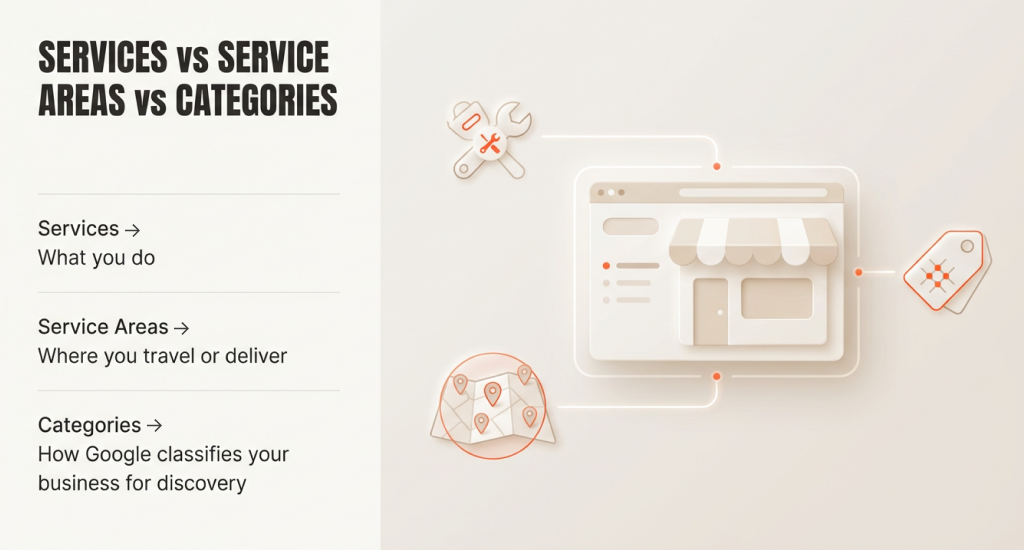
Services = what you do; Service areas = where you travel or deliver; Categories = how Google classifies your business for discovery.
These three fields appear similar within a profile, but each controls a different ranking signal. Mixing them often causes poor visibility and profile edits.
Services
Services show the exact work your business offers. These are listed in the Services section of your Google Business Profile. They help Google match people’s searches to your business.
For example, if you offer plumbing repairs, listing “pipe repair” helps Google show your profile when someone searches for it. There is no fixed limit on the number of services you can add.
However, you should only include real services you actually provide. Adding unrelated or repeated services can confuse customers and reduce trust in your profile. Each service can also include a short description or price to help users understand what you offer.
Service Areas
Service areas define the locations your business serves. Google permits up to 20 service areas per profile. You can no longer use a radius. Instead, you must select cities, postal codes, or regions.
For businesses managing multiple service locations effectively, read How to Set Up Multiple Practice Locations in Google Business Profile to properly configure your profile structure.
Service areas tell Google Maps where to show your business. If you add places your business does not actually serve, your profile may lose visibility or be flagged. Always choose areas you can reach in reality, and avoid overlap or duplicate listings. It can ensure that customers searching nearby see accurate and trustworthy information.
Categories
Categories explain what type of business you run. You must choose one primary category that best describes your business. You can also add secondary categories, but only when they clearly fit your business.
Google recommends using a small number of categories. Many SEO experts follow the GMB categories limit 10 rule (1 primary + up to 9 secondary).
Using too many categories or unrelated ones can confuse Google and reduce your profile’s ranking. Keep categories relevant and consistent with the services you offer for the best local SEO results.
Official vs Practical Limits
| Item | Official source | Community reality | SEO recommendation |
|---|---|---|---|
| Services | No fixed number | 50+ often visible | Add only real services |
| Categories | Few relevant ones | Too many reduce clarity | Stay focused |
| Service Areas | Limit of 20 | Strictly enforced | Add real locations |
| Listings | Account-based rules | Abuse triggers suspension | Follow guidelines |
Key difference facts
Services help match search terms. They do not define location reach. Adding many services does not expand map coverage. Service areas control reach. Categories control discovery type. Each field serves a unique role inside search.
When building dedicated pages for each service on your website, expert Web Design & Development Service ensures these pages are optimized for both users and search engines, supporting your Google Business Profile listings.
Many users ask how many categories they can add or the maximum number of listings per Google Business Profile account. These mainly depend on trust, accuracy, and account history. Clear separation of these fields keeps profiles stable and visible.
Quick comparison table
| Field | What it controls | Known limit | Best practice |
|---|---|---|---|
| Services | Work types | No fixed cap | Add real offers |
| Service Areas | Location reach | 20 areas | Add served places |
| Categories | Business type | Few only | Choose carefully |
How to Add More Services to Your Google Business Profile
If you add more services, it will help your profile match the right searches on Google Maps. Google permits predefined services and custom services. You control these inside the profile dashboard. Each service should reflect the real work your business provides.
“Go to your Business Profile → Edit services → Add more services (or Add custom service) → Save.”
To complement your Google Business Profile optimization, professional Digital Strategy Consulting helps align your local listing strategy with broader marketing goals for consistent growth.
Step 1: Open Your Business Profile
Sign in to the Google account that manages your profile. Search your business name on Google. Click Edit profile, then open Edit services. This section stores all services shown to customers on search and maps.
Step 2: Review Predefined Services
Google shows predefined services based on your primary category. You should read each option carefully. Add only services your business actually offers. These services help Google understand your work type and match relevant customer searches.
Step 3: Add More Services
Click Add more services to include extra predefined options. You can add several services here. There is no fixed limit shown. Still, relevance matters more than quantity for profile trust and visibility.
Step 4: Add a Custom Service
If a service is missing, you should use Add custom service. Enter a simple and clear service name. Try to avoid city names or extra keywords. This step explains how to add custom services that Google Business Profile owners need for special work.
Step 5: Add Price or Description
Some services allow price or short description fields. You should use plain words. Add price only when accurate. These details help users understand your offer before they contact your business.
Step 6: Save and Wait for Review
Now, you should click ‘Save’ after each edit. Changes may take time to appear. Service edits often show within hours. Service area-related edits may take up to 48 hours. This delay is normal and does not mean rejection.
How Many Services Should You Add for Local SEO (recommended vs “possible”)
Local SEO works best when service lists stay clear and honest. You may add many services, but that does not mean you should. “Add all real, customer-facing services but keep the list tight and relevant so Google (and customers) understand what you actually specialize in.”
To ensure your entire website supports these local efforts, Organic SEO Service optimizes your service pages to rank alongside your Google Business Profile for maximum visibility.
Recommended Service Count for Strong Local SEO
Start with your main services. These are the jobs that bring the most calls and revenue. You should add these first. After that, include supporting services that customers often ask about. It keeps focus, improves clarity, and supports conversion from search views.
When Service Lists Become “too many.”
Profiles lose strength when services stretch beyond real work. It answers the question of how many GBP services are too many. If a service name causes confusion or never leads to calls, it likely adds noise. Relevance matters more than count for GMB optimization.
Understanding profile optimization is crucial, learn more from Google Local Pack Statistics (Our 2025 Study) to see why quality service listings matter more than quantity for ranking success.
Match Services to Search Intent
You should think about how people search. Some users need urgent help. Others plan ahead. Separate residential and commercial work when possible. It improves keyword targeting without clutter. Simple service names work better for SEO and voice search results.
Use Words Customers Actually Say
Try to avoid internal or technical terms. Use plain language that callers would use on the phone. It can improve clarity and trust. Clear service names also help users make decisions more quickly after they open your profile.
Practical Limits to Remember
Services do not expand location reach. Location is derived from service areas, which follow the Google Business Profile service-area limit of 20. Categories also matter. Many owners ask how many categories you can add to Google Business Profile. Fewer relevant ones usually perform better.
Micro Checklist Before Adding a Service
- Do customers ask for this service by name?
- Does it fit your main business focus?
- Can staff explain it clearly on a call?
If the answer is unclear, leave it out.
The Real Limits You Can Hit (And What To Do Instead)
Google offers flexibility in many profile fields, but a few limits are firm. Some limits come from official rules. Others come from real-world use. “The clearest hard limit Google documents is 20 service areas, and they recommend your overall boundary be within ~2 hours driving time of your base.”
Service Areas: The Strict Limit
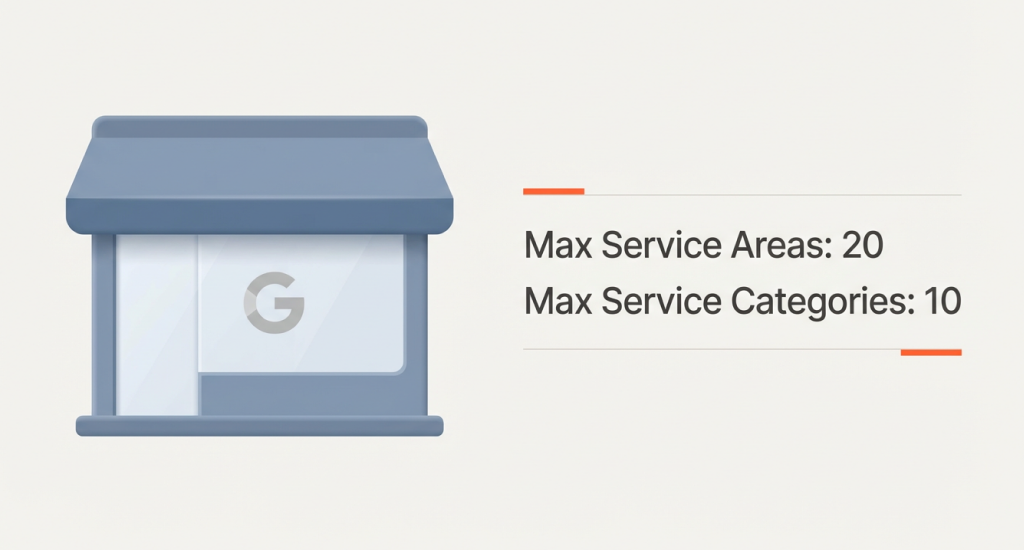
Google Business Profile service areas limit 20 locations. Google no longer supports a radius limit for GMB profiles. You must add cities, postal codes, or regions. Keep areas close to your base location. You should avoid overlap and faraway places, or visibility may drop.
Categories: Soft Limit, Strong Signal
Google advises owners to use only a few relevant categories. There is no official number listed. Still, many SEO professionals report a practical GMB categories limit 10, with one primary and up to nine additional categories. Treat this as a common experience, not a written rule.
Services: Flexible But Not Endless
There is no published service cap. Still, owners often ask, can you have too many services on GBP? Yes, when services no longer match real work. Unclear or irrelevant services may lead to edits or ranking loss over time.
Check 15 Reasons Why Your Google Business Reviews Are Disappearing to understand how profile compliance issues can affect your overall local presence.
Listings And Accounts
For businesses with many locations, Google points to bulk verification. This option fits brands with 10 or more locations. It helps manage profiles at scale while staying within Google rules.
What To Do Instead Of Pushing Limits
When you hit limits, adjust strategy. You can merge nearby cities into larger regions. Remove weak categories and keep only strong ones. Also, you can improve service descriptions for clarity. Try to support your profile with service pages and posts on your website.
GBP Services + Service Areas Setup Checklist (2026)
Conclusion
When thinking about how many maximum services can be added in the GMB profile, remember that Google doesn’t set a hard cap. What matters most is relevance; you should list all real services your business offers and follow the 20-service-area limit.
If you can keep service names clear, categories accurate, and areas realistic helps your profile rank better and earn customer trust. For a simple, step-by-step reference, download the GBP Services + Service Areas Setup Checklist (2026) to make sure every update stays organized, effective, and SEO-friendly.