A website that looks great but fails to rank can leave any business frustrated. One common reason is the presence of duplicate content on both desktop and mobile, which confuses search engines and weakens your online visibility. When the same text appears in multiple places, search engines struggle to determine which version to display.
This problem doesn’t only affect big sites. Even small blogs can face ranking issues if duplicate pages appear across desktop and mobile versions. Ignoring it means losing valuable traffic that could have reached your business.
In this blog, you’ll learn why duplicate content matters, what causes it, and how to fix it with simple solutions to keep your site strong.
Quick Takeaways
- Avoid duplicate content across all devices.
- Use canonical, alternate, or 301 redirects as needed.
- Maintain content parity between desktop and mobile.
- Audit regularly to protect rankings, crawl budget, and user experience.
- Implement responsive design and proper CSS/HTML management for device-specific content.
What is Duplicate Content?
Duplicate content means having identical or very similar text available on more than one URL. It can make search engines unsure about which page to rank. When that happens, your site may lose visibility in search results.

There are two types of duplication:
- Internal duplication: Happens within the same website, for example, when two pages show the same product description.
- External duplication: Occurs when content is copied or repeated across different websites.
However, both cases can hurt SEO. Duplicate content can also appear between desktop and mobile versions of the same page.
Small overlaps, like repeated headers, navigation menus, or contact details, are usually safe. While not all duplication leads to a Google penalty, it can still reduce your site’s strength.
How to Check Duplicate Content?
Checking for duplicate content is an important step to protect your site’s Organic SEO. Both desktop and mobile versions should be reviewed to make sure the content is unique.
You can use online duplicate content checker tools like Copyscape, Siteliner, Small SEO Tools, and Duplichecker to scan your page content for repeated text. These tools highlight exact matches and similar content across the web or within your own site.
A good strategy includes:
- Regular Audits: Schedule monthly or quarterly scans to catch duplicates early.
- Check Desktop and Mobile Versions: Ensure both have the same core content without unnecessary repetition.
- Review CMS Templates: Sometimes repeated blocks or boilerplate text create hidden duplicates.
By consistently monitoring, you can fix duplication before it affects search rankings and keep your site strong.
Additionally, optimizing your website’s structure and CMS setup can prevent these issues from occurring in the first place, which is where a professional Web Design & Development Service can make a significant impact.
How Duplicate Content on Desktop and Mobile Affects SEO
Duplicate content between desktop and mobile versions can silently damage your site’s performance. When search engines see two pages with the same or very similar text, they often struggle to decide which one should appear in the results. This confusion can lower your visibility and reduce the traffic your website receives.
Here are the main ways it impacts SEO negatively:
- Confuses Search Engines: Google finds it difficult to decide which page to rank. It significantly lowers trust in your site.
- Dilutes Link Equity: Backlinks spread across duplicate URLs instead of one strong page. Thus, it weakens ranking power.
- Lower Rankings: Pages with repeated text usually perform worse than unique and original content.
- Wastes Crawl Budget: Search engines waste time crawling duplicate pages instead of indexing important ones.
- Hurts User Experience: Visitors may see repeated or mismatched content, which feels unprofessional and frustrating.
Fixing duplicate content ensures both desktop and mobile versions work together instead of competing. It strengthens your site’s authority, improves rankings, and gives visitors a smooth browsing experience.
Common Causes of Duplicate Content (Desktop vs. Mobile)
Duplicate content often sneaks into websites without the owner realizing it. Clear knowledge of the causes makes fixes easier before they hurt SEO.
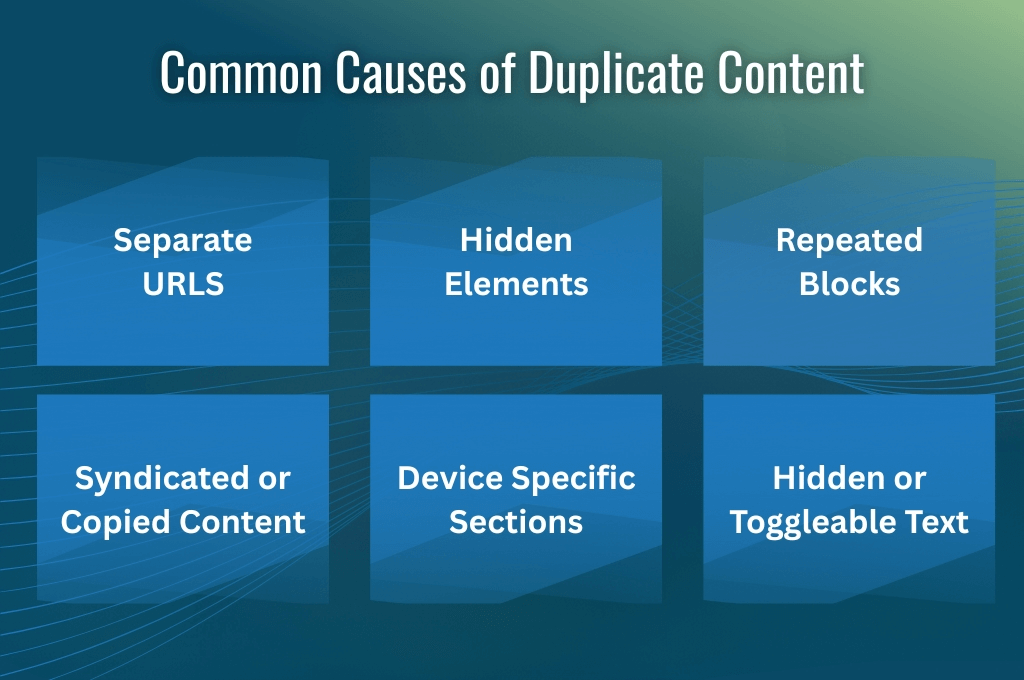
Separate Desktop & Mobile URLs Without Canonicalization
When sites use two different URLs (like example.com and m.example.com) for the same content, search engines may treat them as duplicates. A canonical tag or a responsive design helps avoid this issue.
Responsive Websites With Hidden Elements
Sometimes developers hide sections with CSS (display:none) for different screen sizes. If both versions show similar code, it can confuse search engines. Using proper responsive coding reduces this risk. A thoughtful website re-design can help eliminate hidden duplications, ensuring your site is fully optimized for both desktop and mobile users.
CMS Issues
Content management systems often add repeated blocks, templates, or boilerplate text across many pages. Template review and customization help you avoid duplication.
Content Syndication or Copying Across Sites
Publishing the same article on multiple platforms can create duplicates. If you use a canonical tag or rewrite parts of the content, it can solve the problem.
Device-Specific Content Blocks
Hero images, banners, or repeated sections may show up in both desktop and mobile HTML. You can optimize structures and cut repetition for stronger outcomes.
Hidden or Toggled Content
Tabs and accordions on mobile may repeat text. Structured data combined with clean code provides better handling.
Google Policies and Mobile-First Indexing
Google’s rules for indexing are designed to give users the best experience on any device. With more people browsing on phones, the search engine now relies mainly on mobile content for rankings. To stay safe, websites need to follow some important policies.
Mobile-First Indexing
Google now uses the mobile version of your site as the primary source for indexing and ranking. If your mobile site is incomplete or lacks details, it can harm your SEO performance.
Content Parity
The content on desktop and mobile should match in value and information. Key text, images, and links must appear on both versions. Missing details on mobile may prevent Google from indexing them.
Hidden or Device-Specific Content
Using tabs, accordions, or toggled content is permitted as long as Google can crawl the hidden sections. You should always ensure that important details remain accessible.
Canonical and Structured Data
Canonical tags, structured data, and meta robots settings should be consistent across desktop and mobile. It prevents duplication and ensures proper indexing.
These rules ensure your site succeeds in mobile-first indexing and delivers a smooth experience.
Implementation Challenges For Duplicate Content
Duplicate content across desktop and mobile can create challenges. While responsive design has made things easier, there are still common challenges that developers and site owners face. Some of them are given below:
Responsive Web Design
Responsive design lets one website adapt to all screen sizes. However, balancing layouts for both desktop and mobile without creating duplicate elements is a challenge.
Too many similar blocks or repeated content across sections may confuse search engines. Careful planning of layouts and unique content placement helps here.
HTML & CSS Management
Media queries and CSS rules like display: none are common for adjusting content. But when too much device-specific content is served, it may look like duplication. Proper coding and backend detection can solve this problem while keeping pages clean.
Hidden Content
Tabs, accordions, and other hidden features are often used for mobile layouts. While Google crawlers can see this content, using it for keyword stuffing or cloaking is risky. Hidden content should be meaningful and user-friendly to avoid penalties.
H1 and Main Text Duplication
Duplicate appearance occurs when headings or main text repeat across device blocks. Each page should keep a single, clear H1 and avoid repeating large chunks of identical text. Style adjustments instead of copying text across devices create a cleaner structure.
7 Solutions for SEO Duplicate Content: Desktop & Mobile
Duplicate content between desktop and mobile versions can harm your site’s rankings and reduce user trust. The good news is that there are clear solutions to fix these issues. Proper strategies help search engines index the right pages and provide users with a consistent experience.
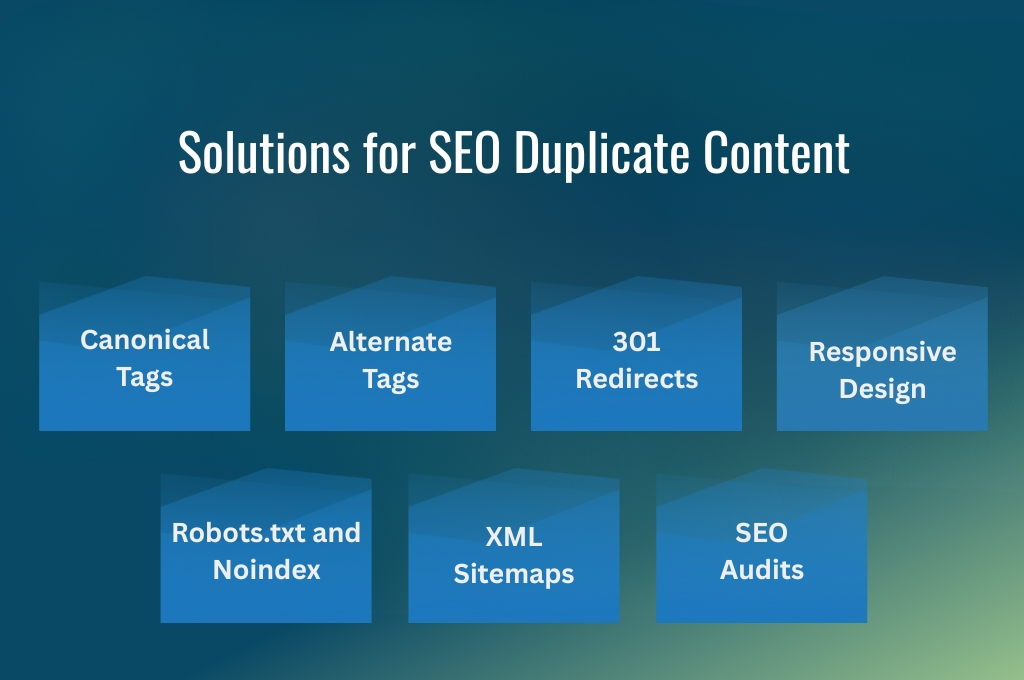
Canonical Tags
Using rel=”canonical” tells search engines which version of a page is the preferred one. This is usually the desktop version.
By setting canonical tags, you prevent duplicate pages from competing against each other in search results. It’s a simple yet effective way to consolidate ranking signals and protect your SEO.
Rel=”alternate” Tags
If your site uses separate URLs for mobile and desktop, rel=”alternate” tags are essential. Placing these on mobile pages points to their corresponding desktop versions. It helps Google understand the relationship between the two pages and ensures that mobile users are served the right content.
301 Redirects
When duplicate or unnecessary pages exist, 301 redirects are a strong solution. Redirecting mobile duplicates to the main desktop version consolidates link equity and avoids splitting ranking potential. Redirects also improve user experience by sending visitors to the correct page automatically.
Content Parity / Responsive Design
The same content across desktop and mobile ensures proper performance. You should avoid removing important text or sections on mobile.
Using responsive design with accordions or tabs can make content easier to read on smaller screens without creating duplicates. Consistent content ensures search engines see the same value across devices.
Robots.txt and Noindex
Blocking duplicate pages through robots.txt or using noindex tags can prevent search engines from indexing them. This method is useful for pages that don’t provide unique value but still appear on your site. Proper implementation avoids wasted crawl budget and keeps your important pages prioritized.
XML Sitemap Management
Sitemaps guide search engines to your most important pages. Including only preferred URLs in XML sitemaps ensures that crawlers focus on the right content. Excluding duplicates helps search engines understand your site structure and improves overall SEO efficiency.
Audit Regularly
Regular SEO audits help identify duplicate content issues before they become a problem. You can use Screaming Frog, SEMrush, or Google Search Console to find repeated text and other duplication problems. Consistent auditing keeps your site healthy and optimized.
You can try out these seven strategies to avoid duplicate content, improve rankings, and ensure a seamless experience on all devices.
Additional Considerations for Duplicate Content
Even after addressing major duplicate content issues, certain factors require additional attention. Small mistakes or overlooked elements can still affect SEO if not handled properly.
- Hidden Content in Accordions/Tabs: Using collapsible sections for mobile is fine. Google can index this content if it is implemented correctly and not used for keyword stuffing.
- Acceptable Duplication Levels: Minor repetition is normal. Under 20% is low risk, 21 to 30% is moderate risk, and above 30% is high risk and should be fixed immediately.
- Avoid Plagiarism & Syndication Without Canonicalization: Content taken from other sites without canonical tags can cause penalties. You should always cite sources or rewrite content.
- Other Causes: URL parameters, printer-friendly versions, and CMS quirks can create unintentional duplicates. Regular checks and proper configuration can prevent these issues.
If you pay attention to these considerations, they will keep your site safe and ensure search engines focus on valuable content.
Final Thought
Managing SEO duplicate content on desktop and mobile is essential for strong search rankings and a smooth user experience. Duplicate content can confuse search engines, split link equity, and waste crawl resources.
You can prevent these issues through canonical tags, responsive design, proper redirects, and consistent audits. If you pay attention to hidden content, syndication, and CMS quirks, you can ensure your site stays optimized and delivers consistent value across devices.