When we talk about SEO, most people think only about website text. But images also play a role in search results. It is called image SEO, which means making your images easy for search engines to understand.
So, what is the best length for an image file name? The recommended character limit for image file names is around 50–60 characters, keeping them short, descriptive, and keyword-friendly. Staying within this range makes file names easy for search engines to crawl and for users to recognize.
In the rest of this guide, we’ll break down why this limit matters, how to structure file names effectively, and common mistakes to avoid, so you can make the most of every image on your site.
What Does Google Say About Image File Names?
Google explains that image file names should be short but descriptive. It means the name should clearly tell what the picture shows without being too long. For example, black-puppy-playing.jpg is better than IMG00023.JPG because it gives real meaning.
Filenames are not the strongest SEO factor, but they do help Google understand images better. They add an extra signal that supports alt text and page content.
Google Search Central also confirms that descriptive filenames make it easier for search engines to connect your image with the right searches.
Here are a few simple points based on Google’s advice:
- Use short and clear words.
- Add hyphens (-) between words.
- Avoid vague names like photo1.png.
- Match the filename with the actual page topic.
So, filenames alone won’t push rankings high, but they still matter for image search visibility.
Recommended Character Length for Image File Names
Even though image file names might seem minor, they are an important part of both Organic and Local SEO. A well-chosen filename helps search engines, and users understand what the image shows. The trick is balance; the name should be descriptive but not too long.

Quick Features of a Good Filename
A strong filename usually has the following features:
- 5 – 7 words long: Enough to describe the image clearly.
- 50 – 70 characters, including hyphens and file extension: Short enough to avoid truncation in search results.
- Clear and descriptive: Tells exactly what the image depicts.
- Easy to read: Simple for both people and search engines.
Why 50 – 70 Characters Work Best?
The image file name is best with 5 to 7 words because this word count is usually fitting into 50 to 70 characters, which is the standard sizing, as it remains completely visible. For example, red-ceramic-coffee-mug.jpg is descriptive without being too long. This length is short enough to appear fully in search results and long enough to provide context.
Technically, most systems permit up to 255 characters, but using extremely long filenames is unnecessary. They can look spammy, appear truncated in search results, and confuse readers.
Benefits of Shorter Filenames
- Easier for search engines to process.
- Looks clean and professional.
- Avoids keyword stuffing, which can hurt SEO.
- Keeps your website organized.
You should keep filenames short, descriptive, and relevant. It’s a small step, but it makes your images more search-friendly and improves user experience.
What to do If my Character Count Exceeds 5 Words or 70 Characters?
If your filename goes beyond 70 characters, simply refine it for clarity and SEO. Long names aren’t harmful, but trimming them makes them cleaner and more user-friendly.
- Shorten by removing extra or repeated words.
- Keep only the main keywords.
- Use folders or URL structure for added context.
- Avoid stuffing too many details in the filename.
The best practice is to stay under 70 characters whenever possible. It keeps filenames clean, readable, and search-friendly. If you feel the need to add more context, don’t overload the filename. Instead, use:
- Folders (e.g., /images/products/)
- Structured URLs that already explain the category.
This way, you can give enough context without stretching the filename too far.
Using Other Languages in Image File Names
Sometimes, websites use image file names in languages other than English. For example, Chinese or Spanish words may appear in filenames if the content targets those audiences. While this may feel natural, it can create challenges for SEO.
Search engines often process English letters and numbers more smoothly than non-Latin scripts. A filename written fully in Chinese, like 红色咖啡杯.jpg, might not always display correctly across all browsers or systems. In many cases, it gets converted into a long string of code, which looks confusing and loses meaning.
Spanish words, on the other hand, use the Latin alphabet, so they are generally safe. A filename like taza-roja.jpg (red cup) works fine, as long as special accents (á, é, ñ) are avoided.
Best Practices:
- Prefer English filenames for wider compatibility.
- If you are using Spanish, you should remove accents or special symbols.
- Avoid Chinese characters; instead, translate them into English words.
Simple file names make your images more search-friendly and accessible worldwide.
Examples: Good vs. Bad File Names
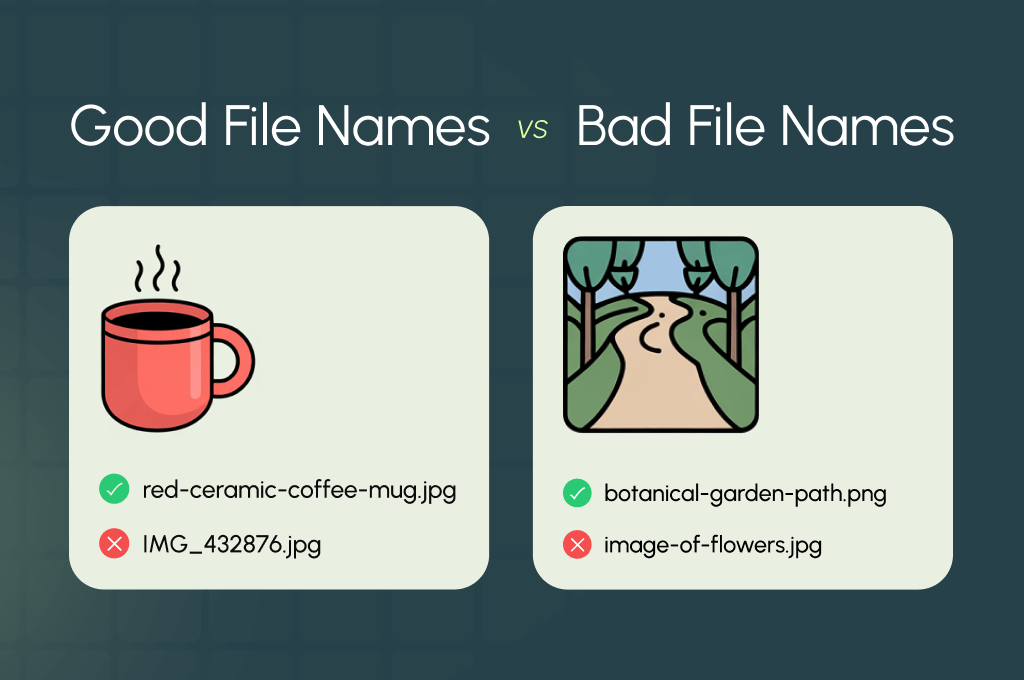
A simple way to see the difference between strong and weak image filenames is through comparison. Good filenames describe the image directly, while bad ones look random or unclear. Simple names give search engines context and help users know what the image shows.
Here’s a quick table to show the difference:
| Good File Name | Bad File Name | Reason |
|---|---|---|
| red-ceramic-coffee-mug.jpg | IMG_432876.jpg | Clearly describes the object. The bad one is just a random code. |
| botanical-garden-path.png | image-of-flowers.jpg | Gives context and is descriptive. The bad one is vague and unhelpful. |
| blue-running-shoes.webp | nike_running_shoes.jpeg | Uses hyphens and is descriptive. The bad one uses underscores and is less SEO-friendly. |
Context Matters: Match Filename with Page Content
Images are more than just visuals. Their context on the page helps Google understand what the picture is about. A filename alone is not enough. Placing the image near relevant text improves SEO and user experience.
Align Filename with Page Topic
The filename should describe the image and match the page content. For example, on a product page about wallets, use handmade-leather-wallet.jpg. It tells search engines what the image shows and supports the page’s topic.
Match Alt Text and Surrounding Content
Alt text is a short description that appears if the image doesn’t load. Together with the filename, it strengthens SEO signals. Example:
- Filename: handmade-leather-wallet.jpg
- Alt Text: “Handmade leather wallet with multiple compartments.”
- Placement: Next to product details and price
Avoid Misplaced Images
Don’t use descriptive filenames on unrelated pages. For instance, red-running-shoes.jpg should not appear on a coffee mug page. Misplaced images confuse search engines and reduce SEO value.
When filename, alt text, and page context match, Google understands images better and ranks them higher.
Long-Term Thinking: What Could Change by 2030?
SEO is always evolving, and image optimization is no exception. What works today may look different in 2030. So, if you think ahead, it can help your site stay prepared.
Smarter Image Recognition
By 2030, search engines are likely to rely even more on artificial intelligence to understand images. Filenames may matter less than AI’s ability to “see” and interpret content directly. However, clear filenames will give small but valuable hints for AI interpretation.
More Global and Multilingual Search
As more users search in different languages, images with filenames in Spanish, Chinese, or other languages may become more relevant. Sites that balance descriptive English filenames with local-language alternatives could have an advantage in global search.
Increased Focus on Accessibility
Search engines may give higher priority to images that are fully accessible. It means combining filenames, alt text, and contextual placement will likely remain important. Images that are descriptive, clear, and properly labeled may benefit both SEO and user experience.
Structured Data and Rich Results
By 2030, structured data could play a bigger role in image SEO. Properly labeled images with schema markup could appear in rich results, Google Discover, and other heightened search features.
While the exact weight of filenames may change, descriptive, contextual, and accessible images will continue to matter. You should plan for long-term organic SEO by using clear filenames today and preparing for smarter search tomorrow.
Final Thoughts
Image file names may seem small, but they play an important role in SEO. Use descriptive, lowercase, hyphen-separated names under 50 to 70 characters. Try to combine filenames with clear alt text and relevant page content to give Google context. You should avoid keyword stuffing, generic codes, or overly long names.
Even small improvements add up across many images. Keep in mind, good practices help your images rank higher, improve user experience, and support long-term SEO success.