Quiet changes inside a store can cause loud damage in Google, and e-commerce replatforming SEO faces that risk each day. A new platform can move pages, links, and data. Search engines may lose trust when these parts shift. Traffic can drop fast.
This risk links to an SEO site move, which means a full site shift to a new system. During this move, URLs, product pages, and page text can change. Search bots then see a new site. That can lead to a loss of rank and sales.
Read this guide to keep your store safe during this big move. You will see clear steps, key tools, and simple checks. The goal is strong traffic and steady sales after the new site goes live.
What is E-commerce Replatforming SEO?
E-commerce Replatforming SEO means a full move of an online store to a new system while taking care of the Google rank. The store may change platform, domain, site layout, or page links.

The goal stays clear. Search traffic and sales must stay safe. A shoe shop may move from Shopify to Magento. If page links change, Google can lose track. This SEO work keeps every page in Google’s index.
Key components of E-commerce Replatforming SEO
- URLs – The web address of each product and category page. These must point to the correct new pages after the move. To ensure your URLs are optimized, consider a professional Web Design & Development Service that follows modern SEO best practices.
- Content – All text, images, titles, and product details on each page. These help Google know what the page is about. Follow SEO recommended character limit for image file names to ensure proper indexing.
- Crawl equity – The trust and value a page gains from links and past rank. This value must pass to the new pages.
- Indexation – The list of pages that Google keeps in its system. Only indexed pages can show in search results.
- Structured data – Extra code that tells Google details like price, reviews, and stock status. This helps rich results appear.
Example of URLs & Content
A page like /red-shoes may change to /shoes/red. Google then sees a new page. A proper redirect links the old and new pages. Product text, titles, and images also need care. A small text change can affect rank.
Example of Crawl Equity and Indexation
Old pages may hold many links from other sites. That value must move to the new pages. If Google cannot scan a page, it may drop it. Clean maps and correct tags help search bots see each page again.
Tools & Templates for SEO Site Migration Checklist 2026
No matter if it’s a service website or a plan for an E-commerce Replatforming, the right tools keep traffic safe during a site move. These tools help track pages, links, and data so search engines do not lose trust after the new site goes live. Working with experts who offer Organic SEO Service can help you implement these tools correctly and avoid common migration pitfalls.
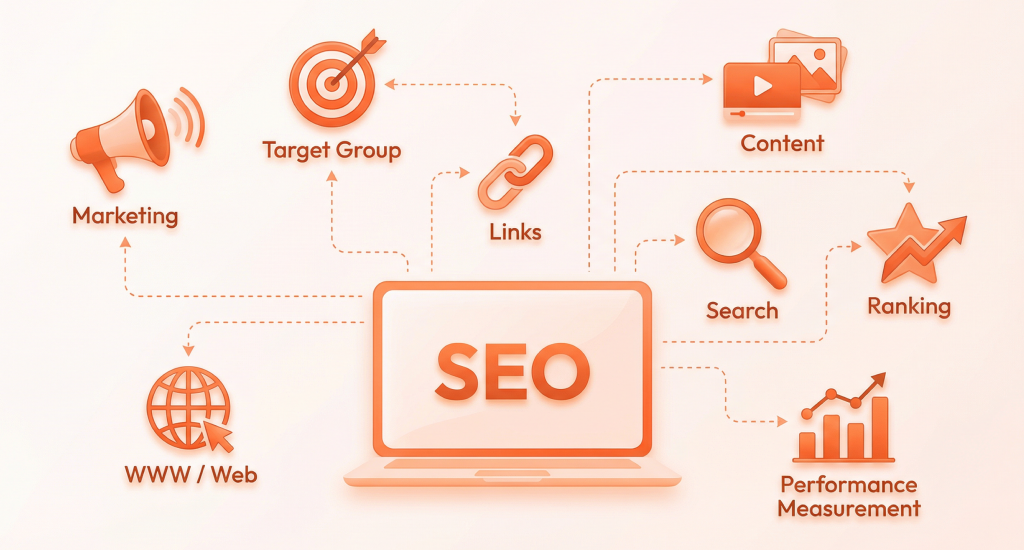
- Search Console Change of Address – Tells Google about the new domain, so page trust moves to the new URLs.
- GA4 with Annotations – Marks launch dates so traffic drops or gains make sense during review.
- Screaming Frog Crawl Tool – Scans old and new sites to spot missing pages and broken links.
- Redirect Mapping CSV – Lists old URLs and new URLs so no page link stays lost.
- SEMrush or Ahrefs – Tracks rank and backlinks to confirm SEO strength stays stable after site move.
- JSON-LD Data Guide – Keeps product schema safe, so Google shows price, stock, and review details.
Ultimate Website Migration & SEO Checklist
A clear checklist keeps traffic safe during a site move. Small errors can cause big rank loss. Below, we place every task into simple groups so teams know what to do, when to act, and why each step matters.
Migration Strategy & Risk Setup
This stage sets the base for your site move. A clear plan and clear roles help avoid traffic loss, broken pages, and poor search rank during the full website change.
If you need expert guidance on creating a comprehensive migration strategy, Monday Digital’s Digital Strategy Consulting can provide the strategic direction needed for a successful transition.
Define Migration Type & SEO Risk Level
Decide what kind of site move will happen, such as a platform, domain, or URL change. Each type brings a different SEO risk. This step helps teams plan how much care and testing the move needs.
Create a Dedicated SEO Migration Plan
Set clear goals, like traffic and sales levels after launch. Add success rules and a backup plan in case something fails. This plan guides every action before and after the site goes live.
Assign Stakeholders, Roles & Communication Plan
Give each team a clear task. SEO checks pages, dev teams handle code, content teams manage text, and hosting teams control servers. A shared update system keeps all teams in sync during the move.
Data Protection & Benchmarking
This stage saves every important site record before any change starts. These data points help teams compare old and new results so traffic, rank, and sales do not drop after launch.
Full Backup of Website, Database & SEO Metrics
Save all site files, product data, Google Analytics, Search Console, rank reports, and backlinks. These backups act as a safety net. They allow fast recovery if data loss or errors appear after the move.
Crawl & Audit Existing Website
Scan the full site to list every live page, page status, canonicals, and links. This report shows how Google views the site. It also shows which pages need clean redirects on the new site.
Identify High-Value Pages & Traffic Drivers
Find pages that bring the most sales, visits, and links. These pages need extra care during the move. If these pages break or drop, the store can lose money and a strong Google rank.
Content & URL Decision Control
This stage sets clear rules for every page on the site. Each page must stay, join another, move to a new address, or leave so search engines do not see messy or weak pages.
Decide Pages to Keep, Merge, Redirect, or Delete
Review all pages to spot thin, copied, or old content. Strong pages stay. Similar pages join one page. Old pages get a redirect. Useless pages are removed to protect site quality.
Staging Environment Setup
This stage builds a test version of the new site. Teams use this space to check pages, links, and tracking before real users and search engines see the live store.
Set Up Staging Environment Properly
Use the correct test domain, HTTPS, and final URL format. This helps teams see how the real site will look after launch. Errors found here cost far less than errors found later.
Block Public Access to Staging Site
Use robots.txt and login protection so Google and users cannot reach the test site. If search engines index this site, it can cause duplicate pages and harm SEO during the move.
Implement GA4 & Tag Manager on Staging
Place the same Google Analytics and Tag Manager used on the live site. Test events and sales tracking. This confirms that the data still works before the real launch day arrives.
Pre-Launch SEO Validation
This stage checks the new site for search health before launch. These tests confirm that pages load fast, links work well, and Google can read and trust the site after the move.
Technical SEO Audit on Staging Site
Review which pages Google can see, how deep pages sit in the site, how scripts load, and how schema shows data. This step helps search bots read and rank pages with ease.
Verify Core Web Vitals & Page Speed
Check LCP, INP, and CLS scores on key pages. These numbers show load speed, click response, and layout shift. Strong scores help pages rank better and feel smoother for users.
Allow Temporary Googlebot Access
Give Google limited access to the staging site for short tests only. This shows how search bots view pages. Access must end after tests, so duplicate pages do not enter Google.
Final SEO Checklist on Staging
Review page titles, meta tags, canonicals, language tags, page groups, and site version rules. This confirms Google sees one clean version of each page when the new site goes live.
Launch Readiness
This stage prepares the web to accept the new site. A small DNS change helps the switch happen faster and with less risk, so users and search engines reach the correct server.
Update DNS TTL Value
Lower the DNS TTL one or two days before launch. This lets internet providers refresh site records faster. A quick update helps users and search bots reach the new site with less delay.
Launch Day Execution
This stage sends the new site to the public web. Every setting must work right so users, Google, and servers all connect to the new store without broken pages or lost trust.
Push Live & Update DNS Settings
Point the domain to the new hosting, CDN, and SSL setup. This step tells the internet where the new site lives. A clean setup keeps the site secure, fast, and stable for users.
Remove All Temporary Blocks
Delete robots rules, login locks, and noindex tags that blocked access on the test site. If these stay, Google may not see pages. That can cause traffic loss after launch.
Activate Redirects & Handle Removals
Turn on all 301 redirects so old links lead to new pages. Use 410 status for pages meant to end. This keeps link value and tells Google which pages still matter.
Post-Launch Search Engine Control & Performance Tracking
This stage guides Google after the site goes live and keeps watch on results. Fast checks help spot errors early, so traffic, sales, and search rank stay safe.
Google Search Console Actions & Error Monitor
Send the new sitemap, use Change of Address when a domain moves, and inspect key pages. Watch errors each day. Quick fixes in the first weeks stop long-term SEO damage.
Track Rankings, Traffic & Anomalies
Check search rank, visits, and sales each day for two weeks. Look for sudden drops or odd trends. After that, move to weekly checks to confirm the site stays stable.
Common Mistakes & Recovery Playbook
Many site moves fail due to small SEO errors that grow fast. Well, let’s see how to replatform without losing SEO, which blind spots hurt most, and how to fix damage when search rank or traffic drops after launch.
This also works for local businesses. For local businesses undergoing replatforming, protecting location-based visibility through Local SEO strategies is crucial to maintaining your local search rankings during and after migration.
Avoid One-to-Many Redirects
Do not send many old pages to one category or home page. Each old URL needs its own new match. This keeps link value safe and helps Google see the page as a true replacement.
Avoid Unplanned or Split Migrations
A site move without a written plan can send mixed signals to Google. Staggered changes across domains, URLs, and design create confusion. All major shifts must happen in a clear and planned order.
Keep Redirects Live for One Year
Leave all 301 redirects active for at least twelve months. This gives Google enough time to process the new URLs. Check index reports often to confirm that old pages slowly leave the search system.
Watch Common SEO Blind Spots
Do not lose product schema, crawl data, or page signals. Skipping crawl log review hides bot errors. A missing rollback rule also adds risk. Each of these gaps can harm search trust.
Use a Clear Recovery Process
If traffic drops, use the rollback plan first. Review crawl logs to see bot issues. Fix broken redirect chains and wrong targets. These steps help Google restore trust and page rank.
Ultimate Site Migration – Checklist/Best Practice
End Note
A store move can feel risky, yet strong planning and careful checks keep search traffic safe. Each step in this guide helps protect pages, links, and data so Google continues to trust your site after the new platform goes live.
Use this process before, during, and after launch to keep sales steady. With clear actions, fast error fixes, and steady tracking, your e-commerce site can grow on its new platform without losing rank or loyal customers.