Got that spam score warning? That number can feel scary. But breathe easy. Moz Spam Score is a warning light on your dashboard, not a Google penalty. It’s like a friendly alert to check your website’s health before problems start.
A high spam score often points to bad links or toxic backlinks pointing to your site. To reduce your website’s spam score, you need to perform a thorough backlink audit to disavow toxic links, create high-quality, valuable content, fix technical SEO issues like
slow speeds or mobile unfriendliness, avoid keyword stuffing, and implement strong security (HTTPS) to build trust with search engines. Focus on earning quality backlinks from authoritative sites and removing spammy ones to signal a reputable domain to search engines like Google.
In this blog, we will cover the entire fact adequately. So, are you ready for a cleaner, healthier site? Read this blog for the whole cleanup plan.
What Is Spam Score in SEO?
Spam Score in SEO is a metric from Moz. It shows a percentage score. This score is based on spam flags across a website. These flags relate to link profile patterns and site features, based on Moz documentation.
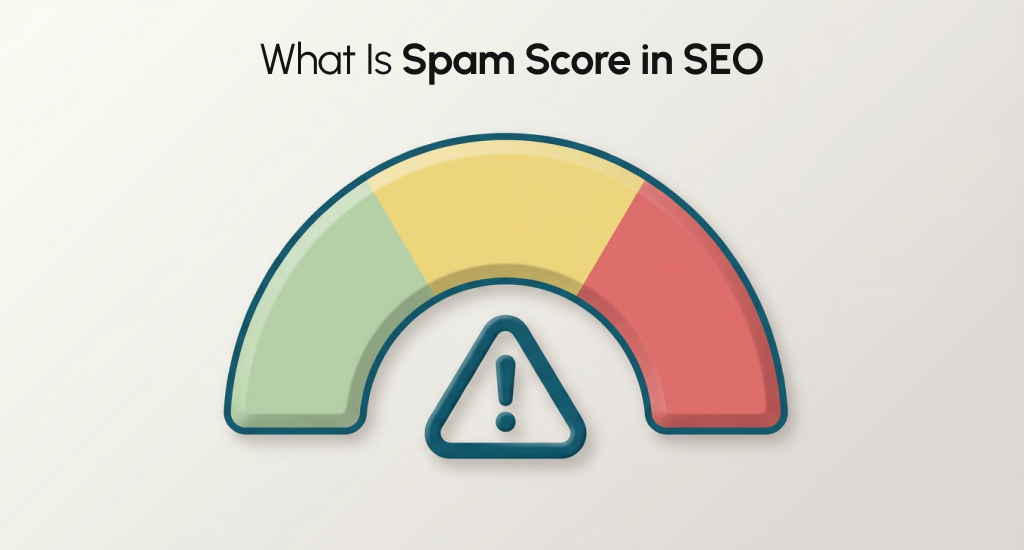
A higher Moz Spam Score indicates substantial similarity to sites that have received Google penalties before. It does not mean Google punished your site. Eventually, it’s not a ranking factor, but signals risk level, not certainty.
Moz groups Spam Score into ranges. A score from 0 to 10% indicates low risk, and from 11 to 30% suggests medium risk. Therefore, a score above 31% indicates high risk and requires a quick review.
And what it actually measures:
- Moz checks spam flags tied to backlink profile patterns.
- Moz reviews links from high-risk domains with weak trust.
- Moz evaluates signals that affect domain authority quality.
- Moz compares site traits with known penalised websites.
How You Can Reduce the Spam Score of Your Website Manually
A high spam score grows from weak links, poor pages, and low trust signs. By reducing a website’s spam score through a manual check, you can fix the issue. It’s not even a difficult task if you manage to follow the proper process. Here’s the easy method you can follow.
1. Fix Toxic or Low-Quality Backlinks (Biggest Spam Score Driver)
Backlinks are like votes for your website. When most votes come from low-quality or spammy sites, your Moz Spam Score can rise quickly. Even a single toxic source can damage trust across your entire site, making cleanup essential.
a. Identify Spammy and Toxic Links
Toxic backlinks usually come from sites built only to host links. These sites often have thin content, random topics, excessive outgoing links, or copied pages. Many belong to link schemes or private blog networks, which are high-risk for spam.
To find them, check your backlink profile using tools like Moz, Ahrefs, or SEMrush. Pay attention to domain authority, spam score, and traffic. Links from sites with little or no traffic, or anchors stuffed with repeated money keywords, are strong warning signs.
Export all links into a sheet and categorise them as safe, doubtful, or toxic. This step simplifies review and helps avoid mistakes during cleanup.
b. Remove or Disavow Toxic Links Safely
Start with manual removal whenever possible. Visit the linking site, locate a contact page or email, and send a polite, concise request to remove the link. Keep records of all communications in case Google reviews your efforts later.
When removal isn’t possible, use the Google Disavow Tool carefully. Only include clearly harmful domains or URLs, and avoid disavowing links from mixed-quality sites with real value, as this can block beneficial signals and even trigger manual actions.
Upload the disavow file through Google Search Console and note that changes take time. Moz Spam Score will update once the link data refreshes.
c. Build High-Quality Replacement Links
Once toxic links are handled, focus on building strong, authoritative backlinks to balance your profile. High-quality links come from real sites with engaged readers. Guest posts on niche blogs, local directories, and citations with your business name, address, and phone number all improve credibility.
PR mentions from reputable news blogs provide especially powerful signals, while editorial links placed naturally within useful content perform better than generic footer links.
2. Clean Up On-Page SEO Red Flags
Pages with poor structure or low-quality content can confuse search engines and increase your Moz Spam Score. On-page issues, if ignored, often show up as spam signals. Fixing them improves both site quality and user experience.
a. Fix Thin, Duplicate, or Auto-Generated Content
Thin content usually has very few words or fails to answer user questions. Auto-generated pages often follow the same template, and city pages that only change a location name fall into this group.
Start by auditing all pages carefully. Merge similar pages into a single, stronger page and use “noindex” for pages that provide no real value. Remove junk pages with zero traffic, as this quickly improves overall site quality.
Duplicate content also includes copied product descriptions or text from other websites. Rewrite these key pages with original wording and fix duplicate content issues across desktop and mobile to reduce spam risk and build trust with search engines.
b. Remove Keyword Stuffing and Over-Optimisation
Keyword stuffing happens when the same phrase is repeated unnaturally in titles, headings, or body text. This feels awkward to readers and signals spam to tools.
Go through your content and replace repeated keywords with topic-related or natural variations. Always write for users first. Pay attention to anchor text inside content as well and avoid exact-match links in every paragraph.
c. Improve Content Quality and Relevance
Strong content fully answers questions and provides value. Use examples, short lists, or step-by-step instructions to make your pages clear and actionable. Update older posts with fresh facts to maintain relevance.
Adding author names, short bios, and source links supports E-E-A-T (Experience, Expertise, Authority, Trust) signals. Over time, high-quality, relevant content strengthens your topical authority and naturally lowers spam signals.
3. Improve Technical Trust Signals (So You Look Less “Spammy”)
Technical issues can create hidden spam signals that Moz detects, yet many site owners overlook them. Fixing these problems improves trust and user experience and lowers the risk of spam score through website security and maintenance best practices.
a. Ensure HTTPS, Speed, and Clean Code
HTTPS shows that your site is secure. Without an SSL certificate, your site may appear risky to both users and search engines. Install an SSL certificate and redirect all HTTP pages to HTTPS.
Site speed is another critical factor. Slow-loading pages frustrate visitors and increase the risk of spam. Check Core Web Vitals to find bottlenecks, compress large images, remove unused scripts, and fix redirect chains.
Clean HTML code also matters. Broken tags, messy markup, and unnecessary elements can make it harder for crawlers to read your pages, potentially lowering quality signals.
b. Fix Index Bloat and Low-Value URLs
Index bloat occurs when Google indexes too many low-value pages, such as filter URLs, tag pages, or internal search pages. These pages dilute site quality and may trigger spam warnings.
Use Google Search Console to audit indexed URLs. Remove useless pages or apply “noindex” tags for low-value content. Tools like Screaming Frog and Sitebulb help spot these issues quickly, making cleanup more efficient.
c. Secure Against Hacked or Injected Pages
Hacked or injected pages can add spammy links or fake content, instantly raising spam signals. Run regular malware scans to detect problems early.
Check Google Search Console for security alerts and resolve any flagged issues. Keep your CMS, themes, and plugins up to date, use strong passwords, and remove any unknown admin users. Maintaining a secure, clean site builds trust and signals safety to search engines.
4. Strengthen Your Brand and Trust Signals
Authentic, trustworthy brands are easier for both users and search engines to recognise. Moz pays attention to signals that show a website belongs to a legitimate business, and missing or inconsistent details can raise spam concerns without a clear digital strategy in place.

Strengthening these signals lowers spam score and builds credibility.
a. Show You Are a Real Business
Clear About and Contact pages are essential. Include a full address, email, phone number, and links to your privacy policy and terms of service. These pages show accountability and reliability, as fake or spammy sites often avoid sharing such information.
Adding team photos or a company story further enhances credibility and helps both users and search engines trust your site.
b. Align Citations, Social Profiles, and Branding
Consistency matters across the web. Make sure your business name, address, and phone number match exactly on all directories and citations, especially when considering using Google Business without a website. Misaligned information can raise doubts about legitimacy. Create branded social media profiles and link them from your website.
Active, consistent social accounts provide social proof and reinforce your brand identity, helping Moz and other tools view your site as authentic and trustworthy. Encouraging customers and learning how to get more Google reviews helps strengthen trust signals and reduce spam-related concerns.
5. Fix Over-Optimised Anchor Text Distribution
Anchor text is the visible, clickable text in a link, and it sends strong signals about your site’s relevance. When too many links use exact-match keywords, it can look unnatural and raise your Moz Spam Score.
A balanced anchor text profile keeps your link signals healthy and reduces spam risk.
a. Diagnose Anchor Text Problems
Start by analysing your anchor text using tools like Ahrefs, Moz, or SEMrush. Look for exact-match anchors that appear too often, especially those with money keywords like “best loan site” or “cheap hosting.”
Group all anchors into categories: exact-match, partial-match, branded, URL, and generic. This helps identify imbalances and highlights areas that need adjustment.
b. Rebalance With Branded and Natural Anchors
After diagnosing problems, add links with brand names, plain URLs, or natural phrases such as “visit the site” or “learn more here.” High-quality backlinks from real websites help dilute the impact of exact-match anchors. Internal links should also appear natural and varied.
Maintaining a balanced anchor text profile not only lowers spam signals but also supports long-term SEO growth and website credibility.
How to Check Your Site’s Spam Risk (Tools and Benchmarks)
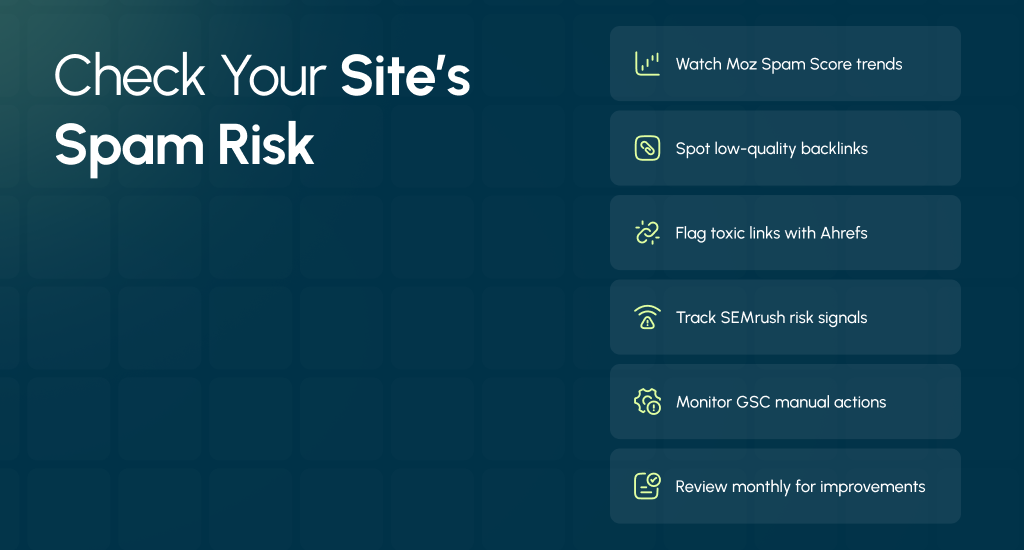
Monitoring your site’s spam risk is essential to prevent long-term penalties and maintain trust. Weak backlinks, low-quality pages, and missing trust signals slowly raise risk over time. Using multiple tools helps spot patterns and take action before problems grow.
-
Check Moz Spam Score and Spam Flags
Moz Spam Score measures how many risk signals appear on your domain. It evaluates link patterns, site structure, and fundamental trust factors. Each spam flag points to a specific issue.
While some flags are common on many sites, a growing number over time signals a problem. Focus on which flags appear, not just the percentage, to prioritise fixes.
-
Review Linking Domains in Moz
Look at all domains linking to your site. Too many low-quality or irrelevant domains increase spam risk. Check each domain’s authority and relevance to your topic.
A healthy backlink profile has fewer low-quality links and more high-quality, contextually relevant ones. Gradual improvement matters more than sudden changes.
-
Analyse Ahrefs Toxicity and Link Signals
Ahrefs highlights backlinks with unusual patterns, such as links from low-traffic sites, repeated anchors, or clustered sources. A single risky link rarely causes harm, but clusters of similar links pose real problems. Review the context of each link carefully before deciding on removal or disavowal.
-
Use SEMrush Backlink Audit and Toxic Score
SEMrush assigns a toxic score based on link behaviour and network patterns. It identifies link schemes, repeated placements, and suspicious sources. Pay attention to links marked as high risk and read the explanations for each alert. Compare reports after cleanup to track improvement.
-
Review Google Search Console Manual Actions
Google Search Console provides direct insights from Google. Check the Manual Actions report first, as any warning here requires immediate attention. Review the Links report for sudden spikes in links from unknown domains. GSC confirms actual penalties rather than estimated risk.
-
Track Trends Over Time, Not Single Numbers
Spam risk builds gradually, and tool updates occur on different schedules. A single score change rarely shows the whole picture. Monitor trends monthly and focus on direction and consistency.
Slow, steady improvement indicates that your cleanup efforts and trust-building strategies are working.
When Is a High Spam Score Actually a Problem?
A high Moz Spam Score does not always mean your site is in trouble, but it does signal risk. What is considered a high spam score? Generally, a score above 30% is regarded as high risk, while 0 to 10% is low, and 11 to 30% falls in the medium range.
So, what is an acceptable spam rate? Most sites should stay in the low range. However, adequate levels vary by niche. Some competitive industries naturally attract more links, so context matters. This is especially true in local SEO, where the top 3 map pack traffic percentage makes spam signals more impactful on visibility.
In this case, you must focus on trends over time rather than on a single snapshot. Track performance trends, watch for Google Manual Penalties, and monitor traffic patterns.
A sudden rise in spam score, combined with a drop in traffic or warnings, is more concerning than a consistently high score with stable traffic. Regular risk assessment helps prioritize fixes and prevents real penalties before they happen.
Final Thoughts: Keep Your Spam Score Low Over Time
Maintaining a low spam score requires ongoing attention. Set up a recurring checklist that includes quarterly link audits, regular content cleanups, and monitoring Google Search Console for issues. Vet all link-building partners and directories before adding backlinks to your site.
Use dashboards and scheduled reports from Moz, Ahrefs, or SEMrush to track trends and spot risks early. Regular website audits and ongoing monitoring are essential for SEO maintenance and long-term risk mitigation, keeping your site healthy and trustworthy over time.