Customers often decide on a business before visiting, simply by reading reviews. If you know how to get more Google reviews, it can make your business look trustworthy and reliable at first glance. Positive reviews build confidence and influence more people to choose your service.
Google Reviews for business also affect search visibility. A strong profile on Google Business Profile improves local SEO performance. It really helps nearby customers find you faster. More genuine reviews mean higher rankings, better online presence, and more foot traffic or calls.
Well, this guide shows a practical and policy-safe blueprint for increasing high-quality reviews quickly. It will surely help your business grow without risking penalties.
Why Google Reviews Matter?
Google Reviews are essential for building trust, improving search rankings, and increasing revenue. Here are the reasons why they matter the most:
Trust and Credibility
Positive Google Reviews significantly enhance your business’s trustworthiness. According to BrightLocal’s 2025 Local Consumer Review Survey, 42% of consumers trust online reviews as much as personal recommendations from friends and family. It marks a notable decrease from 79% in 2020, indicating a shift in consumer behavior.
Visibility in Local Search
Google Reviews play a significant role in local SEO. Businesses with higher review counts consistently rank better in local search results. A robust review profile enhances your Google Business Profile’s visibility alongside other factors like Google’s editorial summary features, making it easier for nearby customers to find you.
Click-Through Rates and Conversions
High ratings and positive reviews can increase click-through rates. Businesses with 200+ reviews see a 100%+ increase in revenue compared to the average business with just 82 reviews. This increase in visibility results in more website visits and, ultimately, higher conversions.
Recency and Review Velocity
Fresh reviews matter. Google’s algorithm processes review timestamps as real-time activity signals. It makes fresh reviews one of the fastest-acting local SEO factors. A steady stream of new reviews indicates to Google that your business is active and engaged. Thus, it can positively influence your local rankings.
Prerequisites: Set Up Your Review Engine
Before asking customers for feedback, your business must be ready to receive reviews efficiently. A properly set up Google Business Profile ensures a smooth path for collecting high-quality feedback and improving local SEO.
Claim and Verify Your Google Business Profile
You should start by claiming your Google Business Profile (GBP). Verification confirms that you are the legitimate owner, which lets you manage business info, respond to reviews, access review links, and upload business photos without rejection issues.
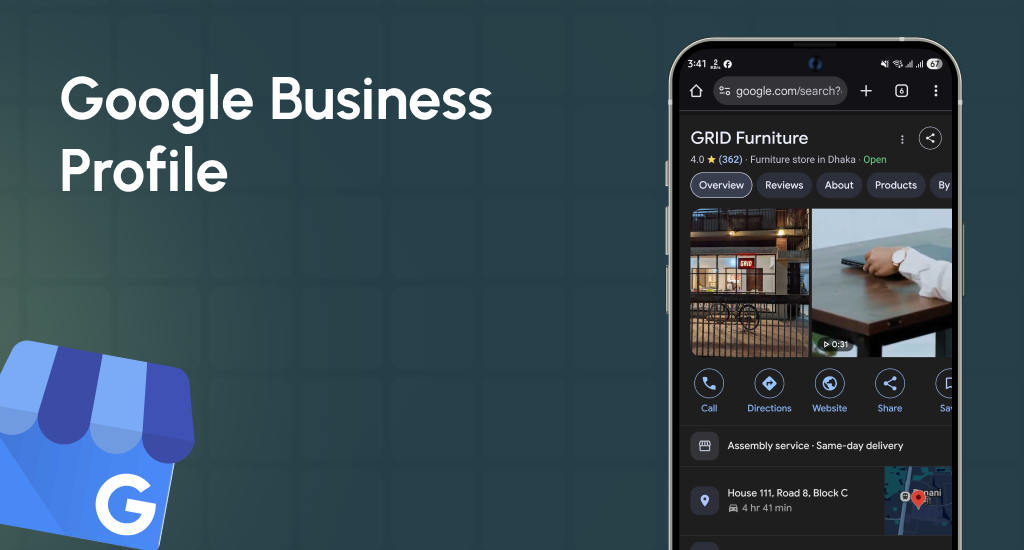
Ensure your primary categories reflect your services accurately to appear in relevant searches. You should enable messaging if suitable. It permits direct communication. Also, it can encourage reviews and clarify questions before they leave feedback.
Create and Share Your Direct Review Link
Copy your profile’s “Write a review” URL from Google Maps. You should shorten it using a link shortener. If possible, you can brand it for trust and recognition.
Sharing this direct link simplifies the process for customers, improving response rates. Also, it is easy for them to leave feedback. Knowing how to get reviews on Google My Business starts with making the review process fast and friction-free.
Generate a QR Code That Opens the Review Form
You should use any QR code generator to convert your review link into a QR code. Print it on business cards, receipts, posters, or signage. Customers can scan instantly, which reduces steps and encourages more people to leave feedback. It is a simple way to boost Google reviews without extra effort.
Policy Basics (What You Can & Can’t Do)
Always try to follow Google’s review policies. Never offer incentives or filter who you ask. You can ask all customers equally and focus on providing excellent service. Respecting these rules protects your online reputation, ensures reviews remain authentic and valuable, and prevents issues like Google reviews disappearing from your profile.
20+ Proven Tactics to Get More Reviews (Online, Offline, & More)
Collecting reviews consistently requires planning, both online and offline. These 20+ tactics are organized by channel and designed to encourage customers to leave feedback naturally. Thus, they can really improve your Google Business Profile and local SEO.
Online Methods
Online tactics make leaving a review easy because customers are already interacting with your business digitally. Try to follow these steps to build an effective review engine.
Website Review Hub
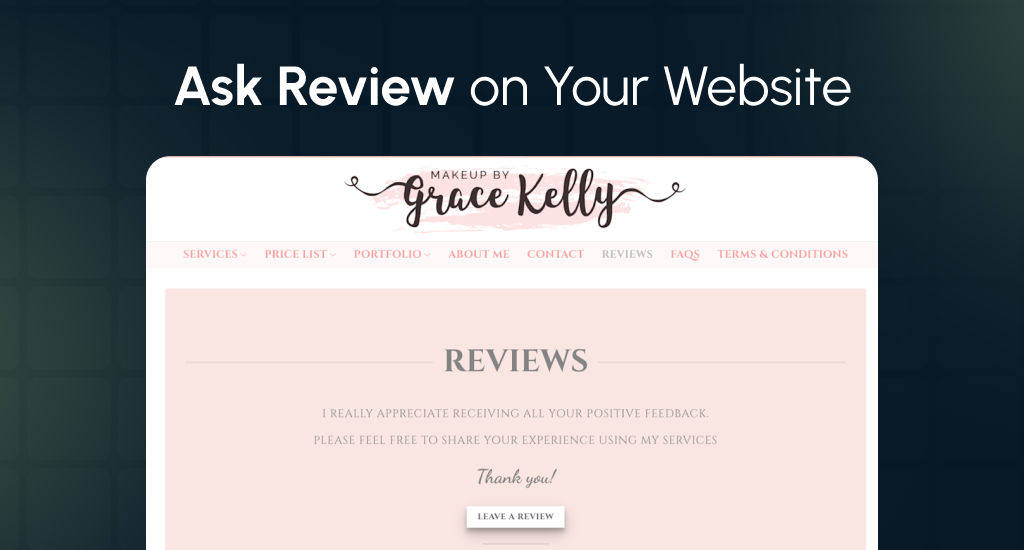
You should create a dedicated “Reviews” page on your website, maintained as part of your regular website maintenance and security practices, and featuring a prominent CTA and recent testimonials. Include a review widget and footer links. It attracts attention, builds trust, and simplifies the review process for visitors. Also, it can greatly improve local SEO and visibility.
Sticky Footer & Header CTAs
You should add persistent review buttons across all pages on your website, visible in both the header and the footer. Customers can click those anytime; it will reduce the friction. Consistent visibility encourages higher engagement, reminds users naturally, and improves Google review counts without additional outreach.
Email Signature Link
Include a short and branded review link in every staff email signature with a star emoji. This subtle and repeated prompt reminds clients after communication. It simplifies the process, builds a habit, and increases click-through to your review form efficiently.
Post-Purchase Email
You can send review requests within 24-48 hours after purchase, including a one-click review link. Customers are most satisfied immediately after receiving service. Quick follow-ups increase completion rates and reinforce positive experiences. It will exponentially boost your online reputation.
Thank-You Email + NPS Fork
Send a thank-you email asking for a Net Promoter Score (NPS). If the score is 9-10, you should include a direct review link. Lower scores trigger service recovery. This method ensures authentic feedback while preventing negative reviews from being public.
Social Posts & Link in Bio
Monthly posts through your social media marketing channels ask followers to share experiences with a short and branded Google review link in bio. Regular visibility reminds customers naturally, strengthens your online presence, and encourages them to leave feedback for your business on Google Maps.
Chatbot Prompt
You should set your chatbot to automatically ask for reviews after ticket resolution. Include the direct review link. This automation captures attention immediately, leverages fresh service experiences, and increases the chance of customers completing reviews without manual follow-up.
Appointment Reminder Follow-up
You should send SMS or email follow-ups within two hours of service. Include a clickable review link. Timing ensures customers remember their experience and can leave feedback while it is still fresh. Also, it increases completion rates and enhances your Google Business Profile.
Customer Portal Prompt
After invoice payment or ticket closure, you can prompt customers in the portal to leave a review. Try to use a branded URL for convenience. It taps into an engaged audience already interacting with your business. Also, this process makes review submission simple and effective.
Embedded Review Carousel
You can display a review carousel on your website showing recent feedback, with a CTA for visitors to add theirs. Highlighting social proof encourages others to participate. This extra visibility builds trust, reinforces credibility, and naturally increases Google review submissions.
Offline Methods
Offline prompts work because customers see them immediately after interacting with your business. These methods reduce friction and remind them in context.
Countertop QR Placard
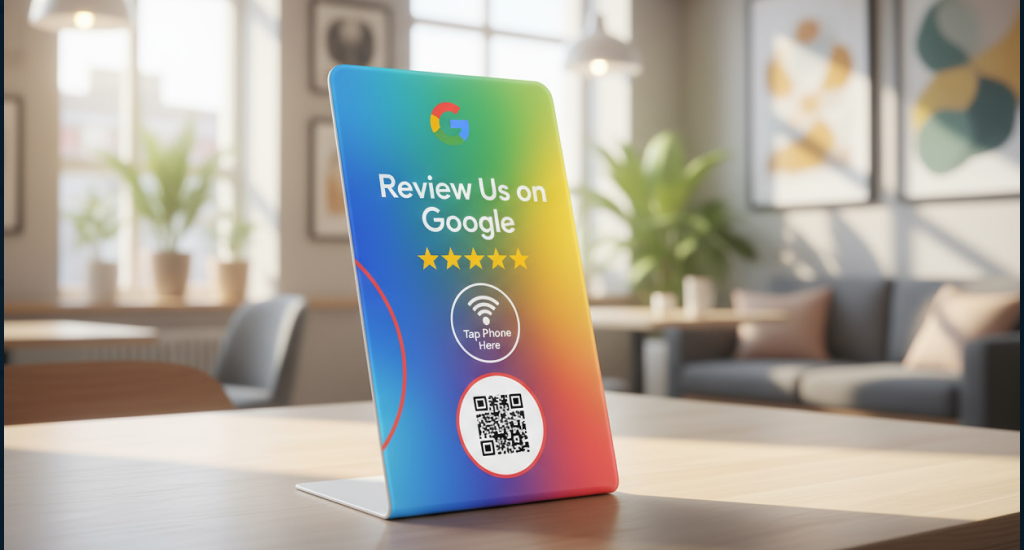
You should place a small sign on counters reading, “How did we do? Scan to review,” with a QR code linking directly to the Google review form. Customers can scan instantly, making submission easy and improving response rates. Also, it can greatly reinforce your business’s professional image.
Thank-You Cards / Postcards
Send branded cards or postcards, including a short URL and QR code. You can also add a friendly thank-you note. Tangible reminders show appreciation, encourage action, and make it simple for customers to leave reviews. It will increase the likelihood of high-quality Google reviews.
Receipt Inserts / Bag Stuffers
Try to include micro-copy CTAs on receipts or inside bags, along with a QR code or short link. Customers see it immediately after purchase, making it convenient to leave feedback while the experience is fresh. It really boosts Google review counts naturally.
Technician Leave-Behind
After service, you should leave a small card with the technician’s name and a QR review link. Personalization builds trust and makes customers feel valued. Immediate visibility and easy access significantly increase the chances that they will leave a detailed review.
Event Booth Signage
At events, you can display “Love us? Review us” with a QR code. Attendees can scan on the spot. Real-time engagement captures attention, leverages positive experiences, and drives Google review submissions while your business is fresh in their mind.
Packaging Sticker
You should add a QR code with “Tell us how we did” on product packaging. Customers receive a simple way to leave feedback right after purchase. Immediate accessibility encourages action, builds trust, and strengthens your Google Business Profile through consistent review accumulation.
Human-to-Human Requests
Direct asks work because personal interaction encourages immediate responses. Timing the request during positive moments is essential.
In-Person Ask
You should train staff to request reviews during peak satisfaction moments. Try to provide a short review link for convenience. Personalized asks increase the likelihood of submission, improve review quality, and foster a trusting relationship with customers.
Phone Script at Wrap-Up
During wrap-up calls, you can ask if customers are satisfied and offer a short review link via SMS. It combines personal touch with convenience. Also, it can reinforce positive experiences and increase the chance of authentic reviews being left.
Service Follow-Up Call
You can call customers post-service asking, “Anything we could improve?” If satisfied, provide the review link. Early resolution of minor concerns encourages positive reviews while maintaining a strong online reputation. Also, it will increase Google review submissions.
VIP / Loyalty Programs (No Incentives)
Recognize loyal customers and ask for reviews without offering rewards. Recognition motivates engagement, builds goodwill, and encourages repeat reviewers. Also, it goes well with Google’s policy and can improve the overall online reputation safely.
Advanced Tactics
Advanced strategies increase efficiency and leverage insights, automation, and training for consistent review generation.
A/B Test Subject Lines & CTAs
You can test different email subject lines and CTAs, tracking open→click→review rates. Data-driven optimization improves conversion. Refining messaging ensures maximum engagement, increases completed reviews, and enhances your Google Business Profile visibility efficiently.
Review Funnel (5-7 Touches)
You should sequence multiple review requests over 14-21 days via email or SMS. Repeated reminders reinforce positive experiences and increase submission rates. This structured funnel ensures customers have multiple opportunities to leave reviews without being intrusive.
Employee Training & Gamification
Conduct weekly role-plays and leaderboard tracking for review requests. Training and gamification motivate staff to ask consistently. They can improve request quality and ensure more customers leave authentic and high-quality reviews for your business.
Competitor Review Mining
You should analyze competitors’ reviews for themes that customers value. Reflect these insights in service delivery and review prompts. If you know what works in your niche, it will help shape your approach and bring better feedback and a stronger online reputation.
Multilingual Requests
Try to provide review prompts in customers’ native languages. Multilingual Requests reduce barriers, make submission easier, and encourage more participation. This inclusive approach increases completed reviews and demonstrates attentiveness. Thus, it can improve Google Business Profile reputation.
Psychology & Timing: Ask for a Review When the ‘Yes’ Is Easiest
When customers are still feeling good about their experience and haven’t moved on, that’s your moment. You can align the ask to their mindset, and you’ll see far better results.
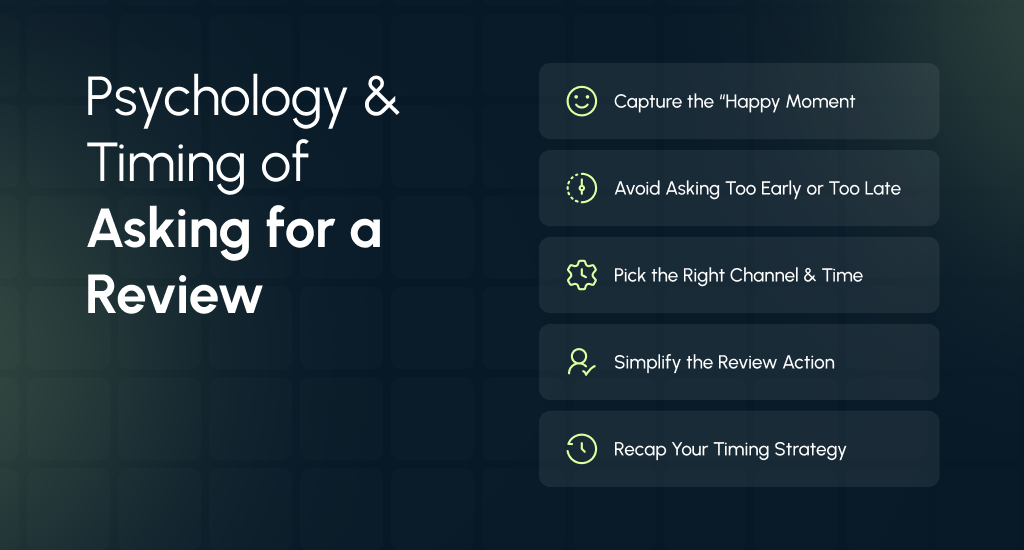
Set up the “happy moment.”
Right after the customer has used your service or received their product is when their positive emotion is highest, and their memory is fresh. Studies show that people are more likely to write a review when their experience is top-of-mind rather than after lots of time has passed.
Tip for local businesses: You can ask in person or right after service completion (“Great, your job is done. If you’re pleased, a review would really help us!”). Then follow up with a direct link.
Avoid asking too early – or too late
There’s a sweet spot: you should ask neither while the customer is still unsure about the outcome, nor after the memory has faded or they’ve mentally moved on. One study found that the likelihood of writing a review falls as the time delay increases.
Rule of thumb: You should wait until the customer has had enough time to experience the value, but ask before it becomes “old news.”
Choose the right channel & moment
The timing of when and how you ask plays a big role. For example, email research shows that mid-week (Wednesday or Thursday) and mid-day (10 am-2 pm) increase response rates.
For local businesses: If you serve in person, ask at the end of the visit. If you send follow-up messages (SMS/email), schedule them at a time when your customer is likely to be relaxed and checking devices. You should not ask when they’re distracted or busy.
Make the ask easy and low-friction
Once the timing is right, simplify the path to saying “yes.” A clear, single-step action (like clicking a review link) lowers resistance.
Pro tip: You should use QR codes, “click to review” links, or pre-filled review prompts. The easier it is, the more people will follow through.
Recap: Your timing playbook
- Ask right after the positive moment, when satisfaction is high.
- Ensure the customer has had enough time to form a positive opinion, but don’t wait so long that the feeling or memory fades.
- You should use a channel and time of day when they’re most receptive.
- Try to make the action as simple as possible.
These simple psychology and timing methods help your business gain more genuine and positive reviews from real customers.
Templates & Scripts (Copy-Paste Library to Get More Google Reviews for Your Business)
Getting reviews becomes much easier when you make it effortless for customers to respond. You should use these short and permission-based templates that sound natural and respectful. It should be no pressure, just a simple ask.
The following copy-paste examples work great for text, email, or in-person requests and are fully optimized for “review link,” “review template,” and “how to get reviews for your business.”
Text/SMS (under 300 characters)
“Thanks for choosing us today! Could you share a quick Google review? It takes 30 seconds: [short link] – It really helps local customers find us.”
Why it works: It’s short, friendly, and clear. The customer already completed their service, so timing and tone are perfect for a fast “yes.”
Email (Post-Service)
Subject: Quick favor?
Body:
“If we earned your trust, would you mind leaving a short Google review? Here’s the direct link: [short link]. Your feedback helps neighbors choose with confidence.”
Why it works: Asking right after service builds on positive emotion. Also, the message feels personal and polite while gently including the review link.
In-Person Script
“If we took great care of you, a quick Google review helps others find us. I can text you the link now-okay if I send it?”
Why it works: It’s permission-based and conversational. The customer feels valued, not pressured, and the review link is easy to send right on the spot.
How to Increase Google Reviews with Smart Review Generation Tools
Manually asking every customer for a review is time-consuming, but automation makes it seamless. The right tools handle reminders, tracking, and even QR codes, so you can get more reviews with less effort.
Choose a Review Platform That Automates Requests
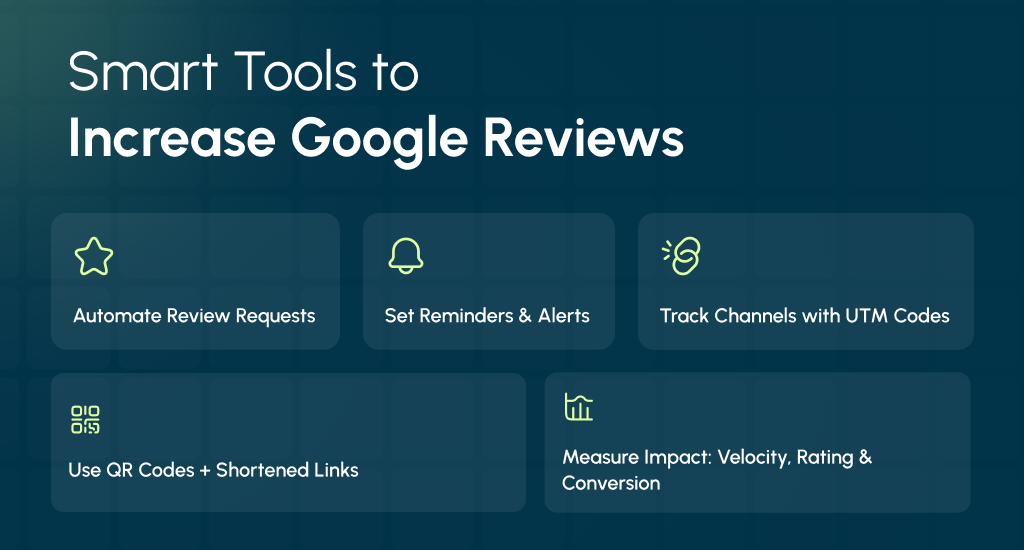
Use a dedicated review generation tool or CRM feature that automatically sends review invites after a sale or appointment. Tools like Podium, Birdeye, or Google Business Profile’s built-in request link can schedule review requests instantly.
Pro tip: Set triggers (like invoice paid or service completed) to send your “review link” without manual work – that’s how you scale sustainably.
Set Up Smart Reminders & Alerts
Automation lets you send polite reminders to customers who haven’t left a review yet, without spamming them. You can also enable email or SMS alerts to notify your team whenever a new review comes in, so you can respond fast.
It improves engagement, and according to BrightLocal (2024), 88% of consumers are more likely to choose a business that responds to reviews.
Track Results with UTM Parameters
Try to attach UTM codes to your Google review link to track which channels (SMS, email, QR, or website) drive the most reviews. It helps refine your strategy and focus on what works best.
Add a QR Code + Link Shortener to Your Stack
A QR code at checkout, on receipts, or at your front desk lets in-store customers scan and review instantly. You should pair it with a link shortener (like Bitly or Rebrandly) for cleaner and more trackable URLs.
Example: “Scan to Review” signs at the counter can boost participation rates by over 30%
Measure What Matters (And Prove ROI from Google Reviews for Your Business)
Getting more Google reviews is great, but tracking their real impact is what turns feedback into growth. By measuring the right KPIs, ideally tracked through comprehensive digital strategy consulting, you can prove how reviews boost your local SEO, conversion rate, and online reputation. It will not be just vanity numbers.
Track Review Velocity per Month
Review velocity shows how many new reviews your business gets monthly. A steady flow signals freshness to Google and helps you rank higher in local search results.
Benchmark: You should aim for at least 5-10 new reviews per month to stay competitive in your category.
Monitor Average Star Rating
Your average star rating directly impacts click-through rates. According to BrightLocal (2024), businesses with 4-4.5 stars earn 35% more clicks than lower-rated ones.
Tip: You should respond to every review, even negatives, to show transparency and improve trust signals.
Measure Response Time
How fast you reply affects both perception and ranking. Google values active engagement, and consumers expect it – 52% expect a reply within 24 hours. You should use review alerts or automation tools to cut your average response time.
Check Profile Views & Local Conversions
Google Business Profile insights show how many people viewed or clicked your listing. You should compare spikes in profile views and direction requests after positive reviews. It will link reputation to real customer actions.
Add Simple Attribution Tracking
To prove ROI, you should track where new leads come from. Add:
- UTM tags on your Google review links to measure traffic in Google Analytics.
- A “How did you hear about us?” field in your forms or checkout page.
Policy Pitfalls to Avoid (And Safe Alternatives for Getting More Google Reviews)
When learning how to get more Google reviews, it’s easy to cross policy lines without realizing it. Google’s review solicitation policy and Google My Business (legacy) guidelines are strict. If you break them, it can hide or delete your reviews. Here’s what not to do and what to do instead.
No Incentives – Ever
Offering discounts, freebies, or loyalty points in exchange for reviews violates Google’s policies. Even “small” rewards can flag your profile for manipulation.
Safe Alternative: Focus on timing. You should ask right after a positive interaction when the customer naturally feels satisfied. A sincere and well-timed ask beats any incentive.
No Gating – Don’t Filter Who You Ask
“Gating” means only asking happy customers to leave reviews while steering unhappy ones elsewhere. Google detects this easily and may suspend your listing.
Safe Alternative: You should ask every customer equally. Use neutral language like “Your feedback helps us improve,” which welcomes honesty without bias.
No Review Filtering or Editing Requests
Never ask customers to change or delete negative reviews; it’s against policy and damages trust.
Safe Alternative: You should respond professionally and publicly. Thank them, address the issue, and try to offer an offline resolution. Over time, a handful of consistent positive feedback outweighs a few negatives.
Simplify the Path Instead
Sometimes, customers don’t leave reviews because it’s confusing. You can use a direct Google review link, QR code, or link shortener so they can leave feedback in one click. Try to make it frictionless, not forced.
Smart Review Strategies for Every Industry
Each business type needs its own review plan. The way you ask, the timing, and the channel all matter. Here’s how to collect more Google reviews without breaking any rules.
Restaurants & Cafés
You should ask for Google reviews right after the meal, while guests still remember their experience. Place a QR code on the table or receipt stand that opens your Google Maps listing directly. You can also post a friendly social reminder the next day to stay visible.
Healthcare & Dental Clinics
At checkout, the front desk can politely ask for feedback using HIPAA-safe wording. You should send a short email with your Google review link soon after the visit. This approach makes it easy for patients to share honest thoughts while keeping your review request compliant and professional.
Home & Professional Services
After completing a job, technicians can hand out a QR card that links directly to your Google Reviews form. Within two hours, you should send a thank-you text message reminding them to leave feedback. Try to add a photo of the finished work to encourage response.
Retail & E-commerce
Your post-purchase email should include a branded review link and a short message asking how the experience was. Place a QR code inside the packaging to make reviews convenient. You can follow up with loyalty customers through your standard email sequence to increase response rates.
Real Estate & High-Value Services
Right after closing a deal, you can ask clients to share a Google review with a photo of their new home or project. A few days later, you should follow up on social media or LinkedIn to spotlight their success story. It builds trust and strengthens your online reputation naturally.
Google Review Management Tips
Reviews are more than words online; they shape trust, rankings, and real business growth. Genuine replies and smart use of feedback can turn any review into an advantage.
Reply to Every Review Within 24 to 48 Hours
Responding quickly shows that your business values customers. A short “thank you” or a calm reply to a complaint helps maintain a strong online reputation. Fast responses also keep your Google reviews for business visible and trusted.
Thank Happy Customers, Warmly
Positive reviews deserve more than a short “thanks.” You can mention the customer’s name, appreciate what they liked, and invite them to return. This personal touch builds loyalty and attracts more happy reviewers.
Move Negative Reviews Offline Quickly
Never argue online. Reply politely, say sorry for the issue, and offer to fix it privately by email or phone. You should address complaints offline to keep your public rating clean and your business image professional.
Learn From Real Customer Feedback
Every review tells you something useful. You should watch for repeated comments and share them with your team. Try to use that feedback to improve service quality, staff scripts, or delivery speed. Improvement builds long-term trust.
Track Trends and Review Metrics
You should measure how your reviews change over time, like average star rating, number of new reviews, and response time. These small numbers show whether your reputation is growing or needs more focus.
Train Your Team to Handle Reviews
Everyone who talks to customers should understand how reviews affect business. Try to create short training sessions on tone, timing, and response steps. When your whole team follows one clear plan, customer feedback turns into growth instead of stress.
End Note
Getting more Google reviews isn’t about luck; it’s about building trust through real customer experiences. Each honest review improves your reputation, boosts visibility, and attracts more local customers to your business.
You should keep your process simple, follow Google’s rules, and respond with care. Over time, your steady effort will turn satisfied customers into your strongest marketing voice.