Losing a hard-earned Google review can feel like watching a sale slip through your fingers. Business owners pour time and effort into building a positive reputation, so seeing feedback vanish is both confusing and frustrating.
So, why are my Google reviews disappearing? Most often, reviews are removed by Google’s algorithmic review filter or flagged for policy reasons. Technical glitches, spam detection, or inconsistencies in your Google Business Profile can also cause a sudden disappearance. As a result, it will leave you unsure of what went wrong.
This guide explains how to diagnose missing reviews, appeal wrongful removals, and prevent future losses. By following simple steps, you can protect your reputation and ensure reviews stay visible. So, keep reading this blog to learn exactly how.
15 Common Reasons Your Google Reviews Disappear (With Fixes)
Seeing your Google reviews disappear can feel confusing and frustrating. Positive feedback may vanish without warning, leaving business owners wondering why this happens. When you know the reasons, you can avoid loss, keep your reputation strong, and draw new clients.
1. Google System Bugs
Sometimes Google reviews vanish because of temporary system bugs. These glitches can occur during app updates, server maintenance, or when Google rolls out new features. Even genuine reviews can hide or disappear until the bug is fixed.
These system errors usually resolve themselves in a few days. You can check the Google Business Profile dashboard for updates, refresh your browser, or contact Google support if a review does not return after a week.
2. Policy Violations
Reviews that break Google’s content rules are removed automatically. It includes offensive language, hate speech, promotions, or comments that don’t reflect real experiences. Google wants the review system to stay helpful, fair, and trustworthy.
To avoid this, guide customers to leave honest, neutral feedback. Try to encourage descriptions of experiences rather than promotions. If a review is removed mistakenly, you can appeal through Google support. You can always explain why it follows the rules.
3. Spam or Suspicious Review Detection
Google’s AI filters often remove reviews that appear spammy or fake. It can include repeated text, very similar reviews from multiple accounts, or activity from newly created or inactive accounts.
Solution:
- You should encourage real customers to leave feedback naturally.
- Try to avoid sending identical review requests to many people at once.
- Ask for detailed descriptions rather than short and generic comments.
- Monitor patterns that might trigger Google’s filters.
4. Review Content Containing Links or URLs
Reviews that include website links are often flagged as promotional and removed. Google prioritizes trust and wants reviews to focus on actual customer experiences rather than marketing content.
Even genuine reviews with links may be removed automatically. Try to ask customers to share their opinions in words only. You should encourage them to describe their experience, service quality, or overall satisfaction without referring to external websites.
5. Reviewers Using Profanity
Reviews that contain offensive or vulgar language are removed to maintain a respectful environment. Google wants review sections to remain helpful, safe, and trustworthy for all users.
To prevent this, you should encourage polite, professional feedback. Respond calmly to negative reviews with strong language, and report clearly false or abusive reviews to Google. It helps protect your profile’s reputation over time.
6. Reviews From Current or Former Employees
Google may remove reviews from employees because they can be biased. Reviews from people with inside knowledge may be unreliable or appear dishonest to readers, so Google’s policy focuses on customer feedback.
Solution:
- Ask employees not to post public reviews about your business.
- Try to collect feedback primarily from actual customers.
- You should encourage employees to promote the business through social media or referrals.
- Make internal recognition separate from public reviews.
7. Reviewers Deleting Their Reviews
Sometimes, reviews disappear because the reviewer themselves deletes the feedback. Google cannot retain reviews removed by the account owner, even if they were positive or detailed.
Solution:
- Ask multiple customers to leave reviews to maintain a steady flow.
- Thank reviewers publicly to encourage engagement.
- Monitor review trends regularly to identify sudden drops.
- You should invite returning customers to leave updated feedback.
8. Reviewers Deleting Their Google Accounts
When a reviewer deletes their Google account, all associated reviews disappear permanently. It is beyond your control, as Google cannot keep reviews linked to inactive accounts.
To minimize impact, you should focus on continuous review collection. Try to encourage new and repeat customers to leave feedback regularly. A steady pool of reviews keeps your profile strong even when some are removed.
9. Business Profile Not Verified

Unverified business profiles often experience review removal or hiding. Google prioritizes verified listings to ensure the information is accurate, trustworthy, and easy for customers to find.
Verify your business profile carefully. You should follow Google’s verification steps, like receiving a postcard or phone call. Once verified, your reviews become more stable, visible, and protected against accidental removals.
10. Business Listing Being New
New business listings may hide or delay reviews while Google evaluates the profile. The system sometimes waits until the listing gains a history or confirms details before showing all feedback.
Patience is important for new profiles. You should keep your business information accurate and post updates regularly. Also, try to encourage customers to leave detailed, honest reviews. Over time, your profile gains credibility, and reviews appear reliably.
11. Incorrect or Inconsistent Listing Information
Reviews may disappear if business details do not match across Google services. Differences in name, phone number, address, or website can confuse Google and trigger review removal.
Solution:
- Keep all information consistent across Google and other directories.
- You should check addresses, phone numbers, and names carefully.
- Update profiles promptly after changes.
- Monitor regularly to prevent mismatches from causing review loss.
12. Business Profile Marked Inactive
If a profile is marked inactive, Google may hide all reviews. It usually happens when a business appears closed or unreachable. Reviews disappear until the profile becomes active again.
To fix this, you should reactivate your profile by confirming business details. Ensure customers know the business is open and accessible. Regular posts and updates signal Google that the business is operational and trustworthy.
13. Duplicate Business Profiles
Duplicate listings for the same business can cause review disappearance. Google may merge profiles or remove duplicates to prevent confusion and consolidate reviews on the main profile.
Solution:
- You should identify duplicate listings and report them to Google.
- Request merging through the Google Business Profile support.
- Try to inform customers about the correct profile.
- Keep all information consistent to prevent future duplication.
14. Merged Business Profiles
When Google merges profiles, some reviews may temporarily vanish. Sometimes reviews are moved to the main profile, but it may take time before they reappear publicly.
You should monitor your main profile after the merges. Check whether all reviews are restored and the information is correct. Try to encourage customers to leave new reviews to ensure ongoing credibility and visibility.
15. Business Not Open to the Public
Google may remove reviews for businesses that do not serve the public directly. Profiles for online-only services, private clients, or restricted locations may see reviews hidden.
You should clarify your business type and accessibility in the profile. Make it clear how customers can interact or visit. When you get feedback from accessible clients, your reviews remain visible and reliable.
How to Find Out Why a Review Vanished?
A missing Google review hurts trust. You should use this step-by-step triage to check why reviews vanish and how to fix Google Business Profile problems right now.
Check the GBP Dashboard & Review Count
Open your Google Business Profile dashboard. You should compare the total review count to the visible list. Note any recent drops or strange numbers. This quick check shows if reviews are hidden by the system or removed, and gives a clear first clue.
Audit Recent Profile Changes
You should look at any recent edits: address, categories, hours, or business name. Big changes can trigger rechecks by Google. If you edited details, restore accurate info and wait a few days while Google reindexes the profile.
Scan Removed Reviews for Policy Triggers
Review the text that vanished. You should watch for links, offers, or personal attacks. These items often trigger automatic filters.
- You should note any URLs or promo language.
- Check for rude words or slurs.
- Try to see if many similar reviews share the same phrasing.
Confirm Verification Status and Duplicate Listings
Try to open the verification status in GBP settings. An unverified or duplicate listing can hide reviews or split them across profiles. You should claim or verify the correct listing and ask Google to merge duplicates to restore a full review count.
Ask the Reviewer to Confirm the Account & Edit History
You should contact the reviewer politely and ask if they deleted the review or changed their Google account. Ask them to check their account activity and to resubmit the review if they still wish. This step often solves cases where accounts or edits caused reviews to vanish.
If you need a clear checklist for “Google reviews removed, how to fix” or help when Google Business Profile reviews are missing, you should follow these steps in order and record each action.
How Google’s Review System Works
Google reviews disappearing can feel frustrating. Many business owners wonder why some reviews vanish without warning. The answer lies in Google’s review system and its rules. Check out the following facts.
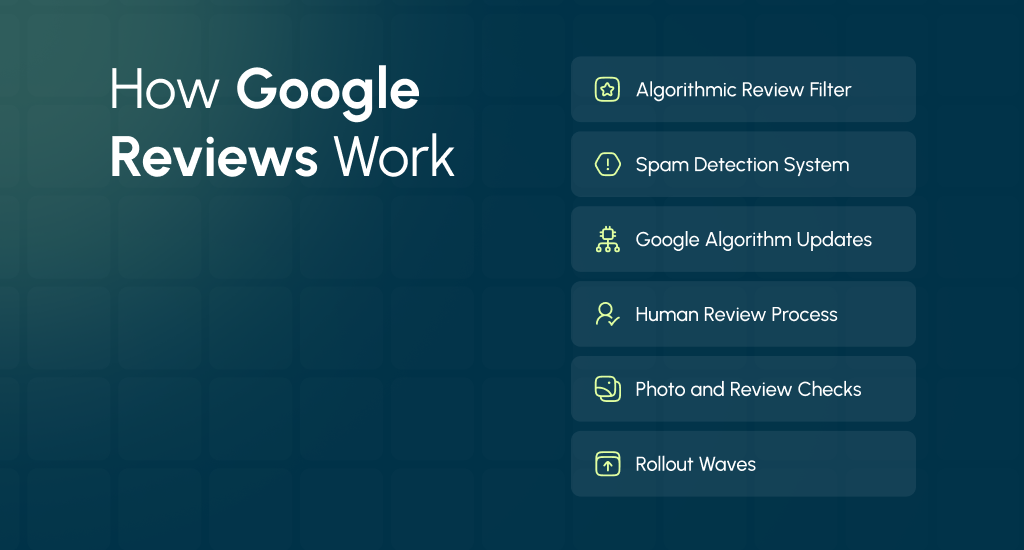
Algorithmic Review Filter
Google uses a smart system called an algorithmic review filter. This filter scans every review to spot spam or fake content. It checks things like repeated words, unusual posting patterns, or reviews from accounts that look suspicious. If the system thinks a review might be fake, it can remove it automatically.
Spam Detection
Spam detection is part of the algorithm. Google wants reviews to be real and honest. Reviews that look like advertisements, repeated messages, or fake praise often get removed. Even if the review is genuine, sometimes the system mistakenly flags it. It is why some reviews disappear suddenly.
Google Algorithm Updates
Google regularly updates its algorithm to improve accuracy, similar to how it recently changed editorial summaries on Google Business Profiles. These updates may change how reviews are checked. During updates, some reviews might temporarily vanish or reappear. Short-term bugs can also cause a few reviews to disappear. Usually, this condition fixes itself after a few days.
Human Review Process
Not all reviews are handled by computers. Google also has human moderators who check flagged reviews. Humans get involved when the system cannot decide if a review is spam or genuine. This step helps catch mistakes and restore reviews if they were removed by accident.
Photo and Review Checks
Reviews often come with photos. Google checks images for spam or inappropriate content, too. Photos that violate Google’s rules can result in the removal of the review; learn more about why Google rejects business photos and how to fix them. It is part of maintaining a safe and trustworthy review system.
Rollout Waves
Sometimes Google removes or restores reviews in waves. It means your review may disappear today and come back in a few days. It happens because changes roll out gradually to all accounts.
If you get acquainted with these steps, they will show you why Google reviews removed may not always be permanent. AI filters, human checks, and updates work together to keep reviews reliable, even if it feels confusing when some of them disappear.
Recovery & Reinstatement Steps for Lost Reviews
Losing reviews can feel like losing proof of your hard work. The good news? You can often fix it by taking a few clear recovery steps. Here’s what to do when you wonder why Google is deleting your reviews and how to fix Google reviews removed.
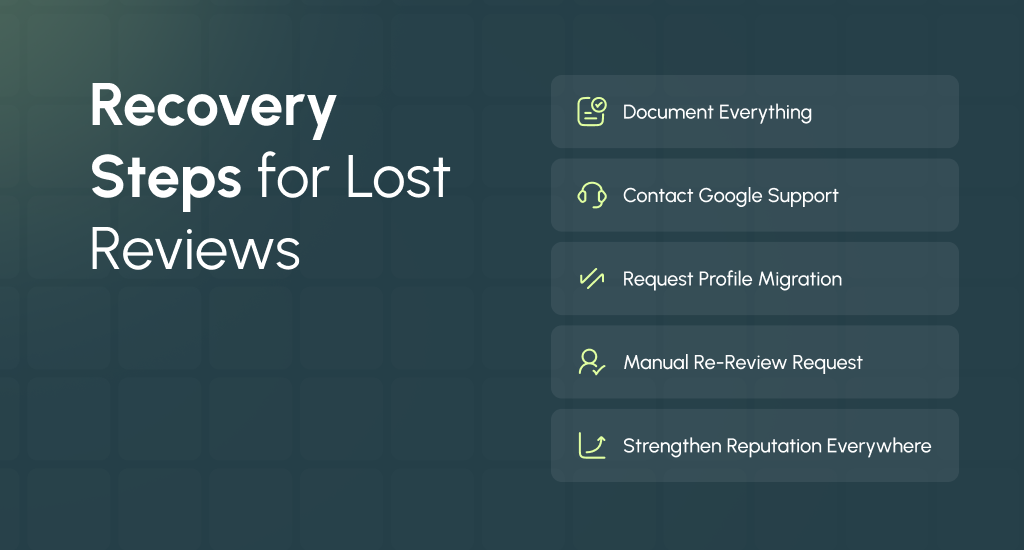
Document Everything
Start by saving evidence. Take screenshots of your Google Business Profile, showing the review count before and after removal. Try to record dates, URLs, and reviewer names if visible. It creates a strong audit trail for Google Support and increases your chances of recovery.
Contact Google Support the Right Way
Go to Google Business Profile Help → Contact Support → Reviews. Provide your business CID (Customer Identification Number), a copy of the missing review text if available, and the reviewer’s name or handle. Try to add a short compliance statement confirming that the review followed Google’s policies.
Request Migration for Merged or Duplicate Profiles
If your business listings were merged or duplicated, reviews may be stuck on the wrong profile. In your support request, you can explain the situation clearly and ask for a review of the migration to the active profile.
Request a Manual Re-Review
If you are sure the review follows policy, ask Google for a manual re-check. Keep your expectations realistic; some appeals are denied, but manual reviews often fix accidental removals.
Strengthen Your Reputation Everywhere
While you wait, you should grow your online reputation on other platforms like Facebook, Yelp, or industry directories. It helps balance your visibility and keeps trust strong, even if Google delays reinstatement.
How to Stop Your Google Reviews from Disappearing Again
After recovering lost reviews, the next step is keeping new ones safe. Many business owners wonder why Google reviews disappear even when they seem legitimate. The truth is, prevention depends on following review guidelines and building consistent habits.
Use Compliant Review Requests
When asking customers for feedback, keep it honest and rule-friendly. Never offer discounts, gifts, or rewards in exchange for reviews. You must avoid telling customers what to write or asking them to “mention keywords.” A simple and polite request after service works best.
Educate Customers Before They Post
You should explain that reviews should be authentic and personal. Tell them not to include links, email addresses, or phone numbers. You can remind them that natural comments stay up longer and are less likely to be flagged by Google.
Build Reviews Steadily
Google dislikes sudden spikes in review activity. Instead of collecting many reviews at once, you can ask a few customers each week. This steady pace signals organic growth and keeps your online reputation stable.
Train Your Team on Proper Requests
Make sure your staff knows who can and cannot leave reviews. Employees or close relatives should never post feedback. Train them to request reviews politely and follow Google’s rules every time.
Monitor and Back Up Reviews
You should regularly take screenshots, set review alerts, or export your data. These backups help you track changes and provide evidence if your Google reviews start disappearing again.
Competitor & Sabotage Checks: When Others Flag Your Reviews
Sometimes your reviews don’t vanish because of Google’s system but because competitors or malicious users are mass-flagging them. If you’ve noticed a sudden cluster of removals while a rival’s profile sees suspicious spikes, that’s a potential sign of targeted flagging.
These patterns often involve coordinated reports of positive reviews in the hope of triggering Google’s spam checks.
How to Respond the Right Way
Stay professional and evidence-based. Try to document every disappearance: note dates, reviewer names, and the review text if possible. Then open a Google Support case through the GBP Help Center, explaining that legitimate reviews were flagged.
You can attach your logs and clarify that there’s no policy violation on your end. Avoid retaliating or engaging with the suspected competitor. As it can backfire and damage your online reputation further.
Build Long-Term Redundancy
Don’t rely solely on Google for reputation visibility. You can spread your customer feedback across multiple platforms like Yelp, Facebook, or industry-specific directories. Also, you can display first-party testimonials directly on your website.
This diversification, ideally planned through comprehensive digital strategy consulting, ensures that even if Google reviews are removed, your credibility remains strong elsewhere.
So, stay transparent, keep full records, and build a wider feedback system to reduce the harm from sabotage and protect your business reputation even when others try to weaken it.
Legal Rights: What Google Can (and Can’t) Delete
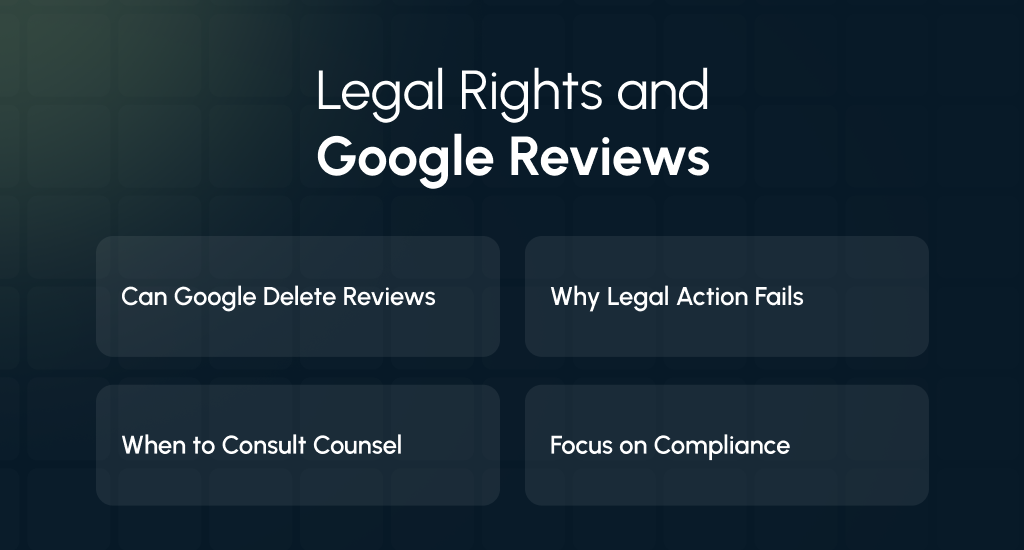
Many business owners wonder, “Can Google legally delete reviews?” The short answer: yes, and it’s written into their review guidelines. Reviews posted on your Google Business Profile aren’t your property; they belong to the platform.
Google reserves the right to remove, filter, or moderate any content that violates its policies. They also include fake feedback, spam, or personal attacks. It can feel unfair, but it’s a legal part of using their ecosystem.
Why Legal Action Rarely Works
Lawsuits against Google for deleting reviews rarely succeed. The company’s Terms of Service grant broad immunity under Section 230 of the U.S. Communications Decency Act, which protects platforms from liability for user-generated content.
Even if you believe your review removals were unjustified, the best route isn’t litigation; it’s a policy-based appeal. You should provide compliance evidence, maintain professional correspondence, and wait for Google’s manual re-review.
When to Involve Legal Counsel
There are, however, situations where a lawyer may help. If reviews contain defamation, harassment, or personal threats, you can consult an attorney experienced in online reputation and privacy law. They can advise on cease-and-desist letters or documentation for potential legal claims.
Knowledge of these legal limits helps set realistic expectations. Rather than fight Google, focus on compliance, transparency, and diverse reputation methods to protect long-term credibility and trust.
How to Keep Proof Before Reviews Disappear
When your Google reviews vanish, it’s hard to appeal without proof. That’s why every business should maintain a review audit trail. It is a simple record that shows what reviews existed and when.
It not only helps you explain issues to Google Support but also protects your online reputation during unexpected removals or glitches.
Start by taking weekly screenshots of your reviews and ratings. You can capture reviewer names, dates, and full comments. Then, use Google Takeout, a free tool that lets you export and back up your Google Business Profile data, similar to how you should maintain regular website backups for security and maintenance.
For ongoing protection, you should set up third-party monitoring alerts that notify you when your total review count changes.
Beyond backups, try to build your own internal list of satisfied customers. You can use an opt-in system through your CRM to note who left reviews or who you can politely ask again if one disappears.
This simple documentation habit gives you control and peace of mind. If reviews vanish, you’ll have the evidence to support your case with Google or even re-engage real customers for fresh feedback.
Smart Tools to Track and Respond to Missing Reviews
When your Google Business Profile reviews go missing, quick monitoring and a proper response process can make all the difference. A personal review management toolkit can help you detect problems early and fix them with ease.
Monitoring Tools and Alerts
You can use any trusted online reputation or listing management tool from your current stack to keep an eye on changes. The goal is to detect sudden drops or removals before they affect your brand image.
Set up:
- Email or SMS alerts for review count changes.
- Weekly data exports of your review history.
- Google Takeout backups to store your review data securely.
Response Templates and Actions
When a review disappears, don’t panic. You have to act with clarity and proper documentation. Use these ready templates to save time and keep your response professional:
- Missing review support ticket: You can include business CID, screenshots, and date of loss when contacting Google Support.
- Duplicate or migration request: If profiles were merged, you can ask Google to migrate old reviews.
- Reviewer outreach: Politely ask confirmed customers to check their accounts or repost reviews if they were removed.
With consistent monitoring and clear communication, you can restore trust and reduce the impact of missing reviews.
End Note
Losing Google reviews can be discouraging, but it doesn’t mean your effort is wasted. Most disappearances have clear causes, from policy filters to technical errors that can be fixed with patience and the right steps.
You have to stay consistent, follow Google’s guidelines, and keep regular backups. With steady and honest engagement, your reputation will remain strong, and your reviews will stay visible.